
 USD / Language





Is That Sale Price the Lowest Yet? How to Check Price History
A product is on sale, and you want to know how its current price compares with earlier prices.
AiPrice lets you explore that history from the product detail page. You can change the time range and move your pointer over the chart to inspect individual dates and prices.
Here’s how to do it when researching an LED desk lamp.
Find the Price History panel
With AiPrice installed and enabled, open the lamp’s product detail page and find the Price History panel.
The line chart shows how the price has changed over time. Dates run from left to right, while the line moves up or down as the price changes.
Start with a quick look at the whole chart, then explore the points you want to compare.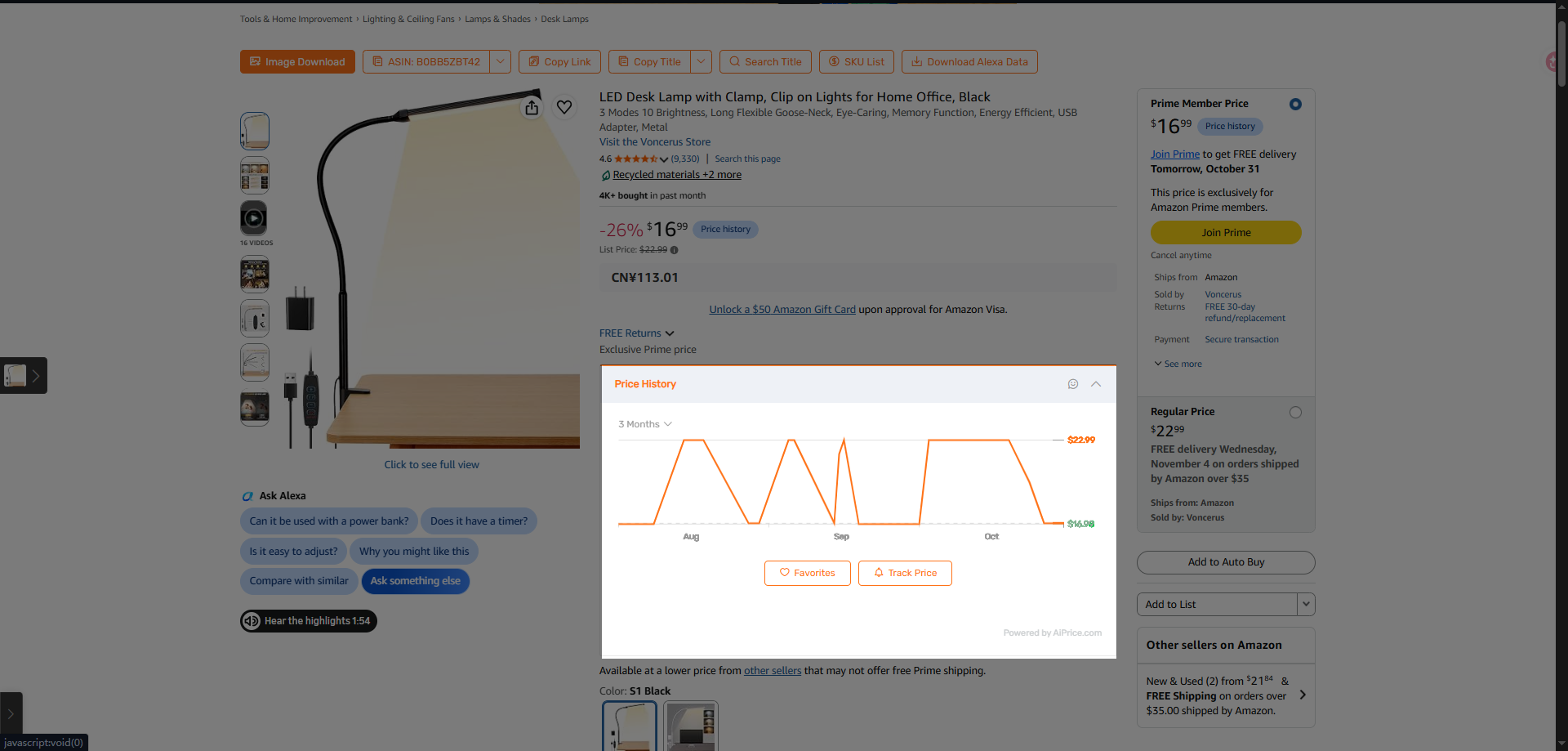
Switch between one, three, and six months
Open the time menu above the chart. You can choose:
- 1 month to focus on recent changes.
- 3 Months to explore a longer period.
- 6 Months to look further back.
For example, start with 1 month to review the period around the lamp’s current promotion. Then switch to a longer range to explore earlier prices.
You can move between these views as you research.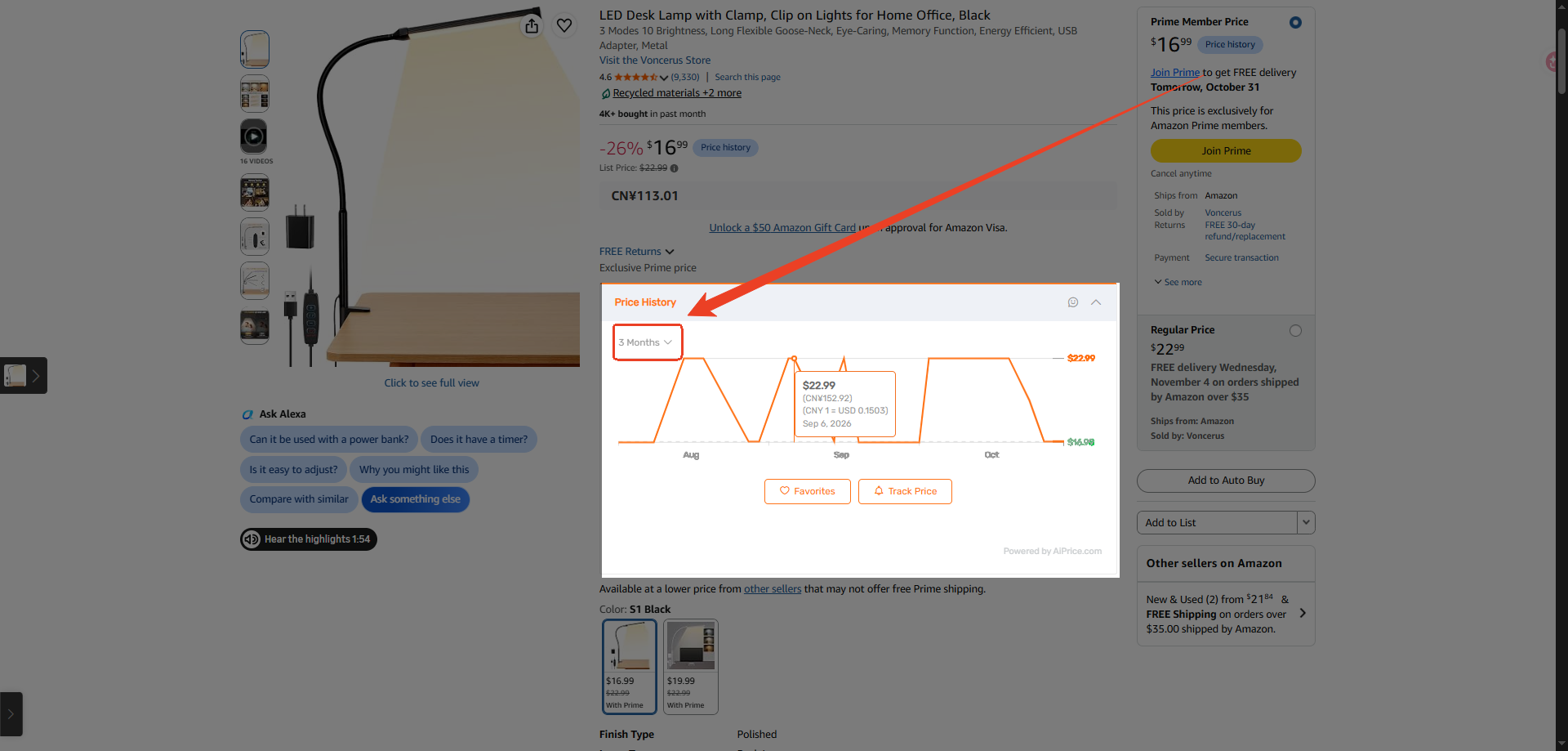
Hover over the line to see a date and price
Move your pointer over a point on the chart to display its price and date.
Start with a lower point if you want to see when a lower price appeared. Then move to other points to compare different dates.
The tooltip gives you the details behind the line, so you can see the amount and the day it was recorded.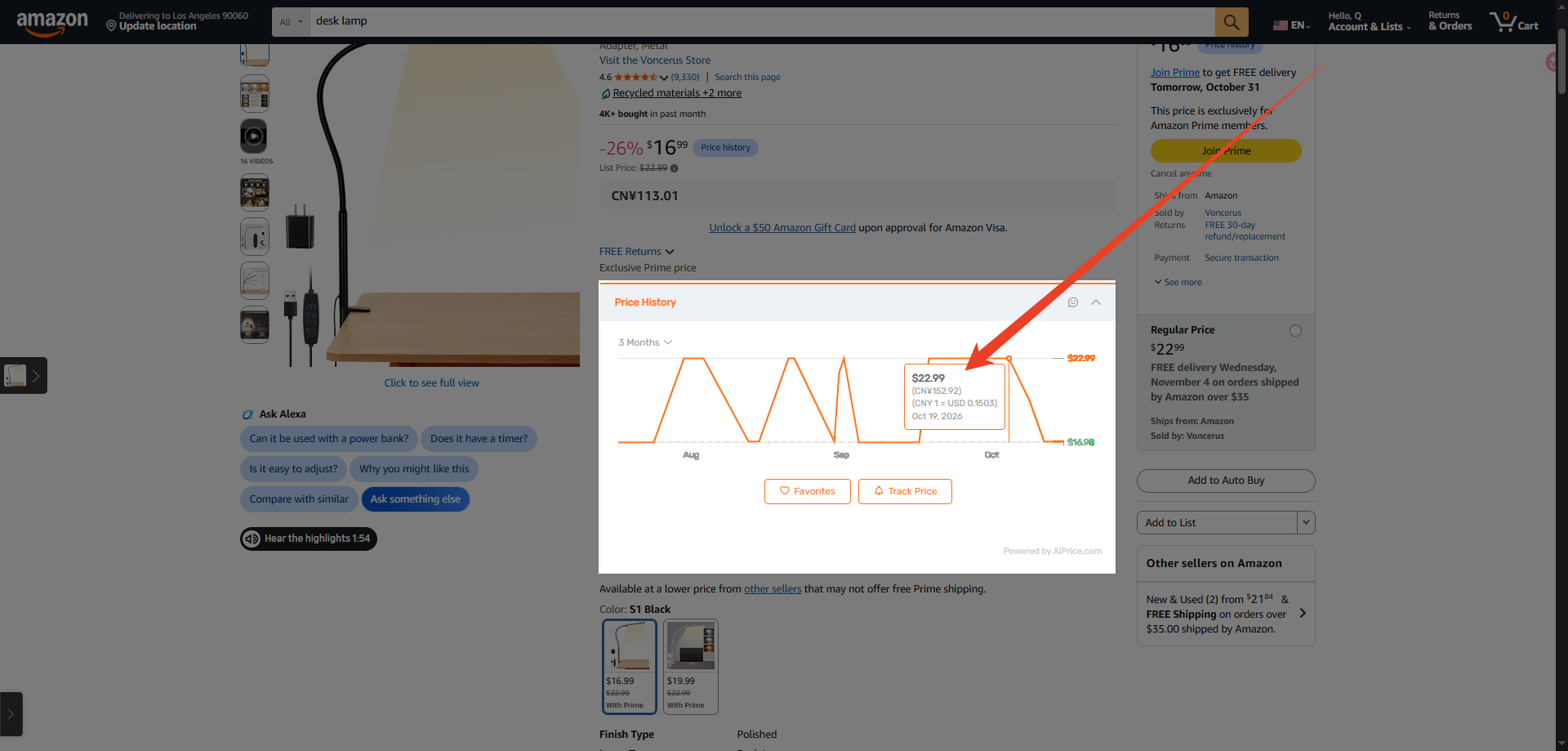
Compare the sale price with earlier prices
Check the current price on the product page, then compare it with the points you’ve explored.
You can see how it compares with earlier low points, when those prices appeared, and how the price has moved recently.
If you want to investigate further, change the time range or inspect more points. This lets you explore the price history at your own pace.
Keep following the product with a price alert
If you want to monitor the lamp after reviewing its history, click Track Price below the chart.
You can set the price conditions you want to follow and choose how long to track the product. Read How to Get Alerts When a Product’s Price Changes for the steps.
Visit the AiPrice price history page for more information about the feature.















Log in or sign up to post a question