
 USD / Language






How to Choose Which Marketplaces Appear in AiPrice Image Search
AiPrice now supports image search on four more marketplaces: Ozon, eBay, Domeggook, and Allegro. If you have a product photo, you can use it to find similar listings, explore new sourcing options, or see what other sellers offer.
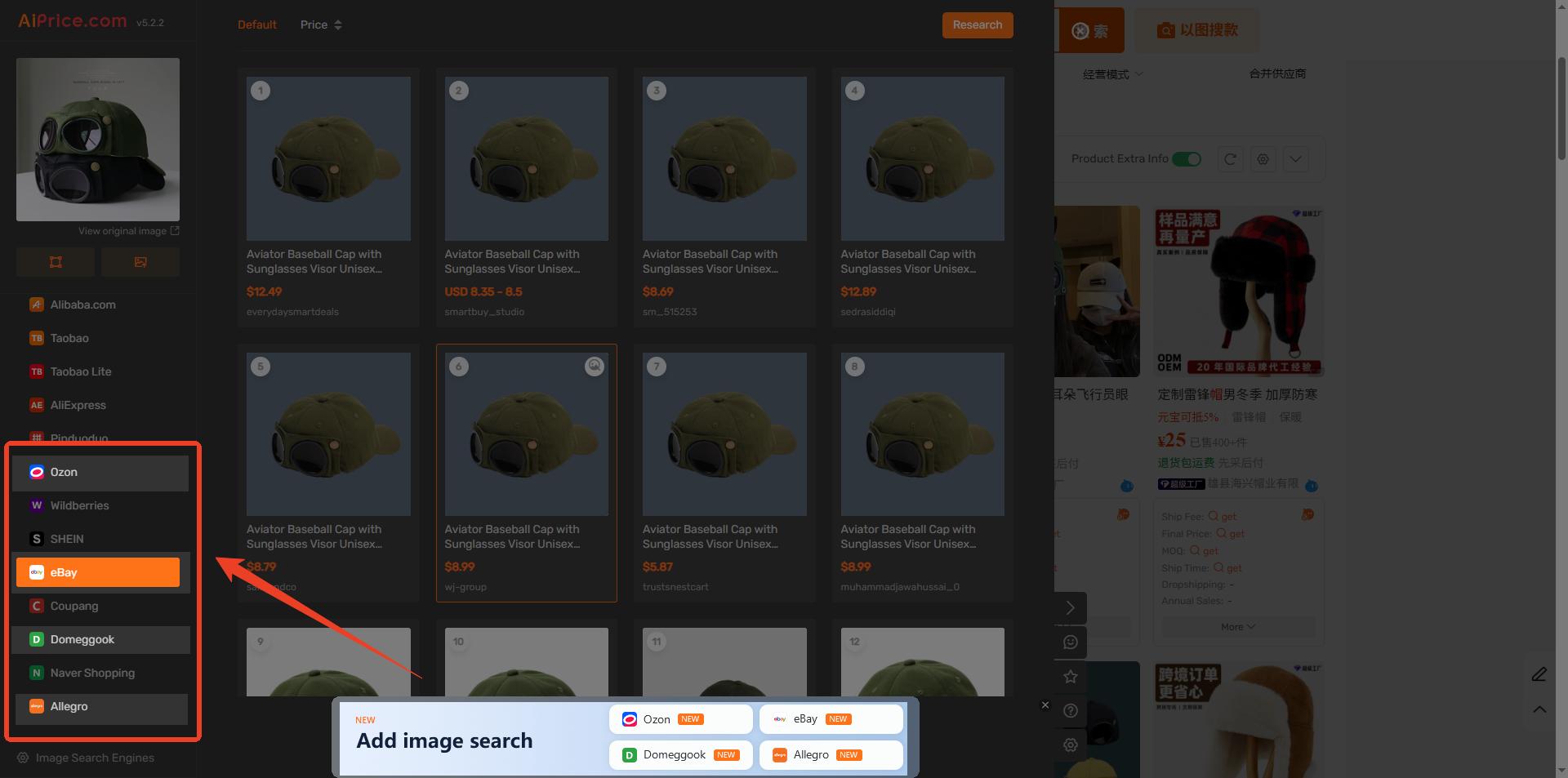 Figure 1. New marketplaces available in AiPrice image search.
1.See what an image search returns on ebay
Say you have a photo of a hat and want to see whether ebay has anything similar. Run an image search in AiPrice, then select ebay in the left sidebar. The matching listings from ebay will appear on the right.
Compare the listing photos with your original image. Start with the overall shape and color, then look at the details to narrow down the closest matches.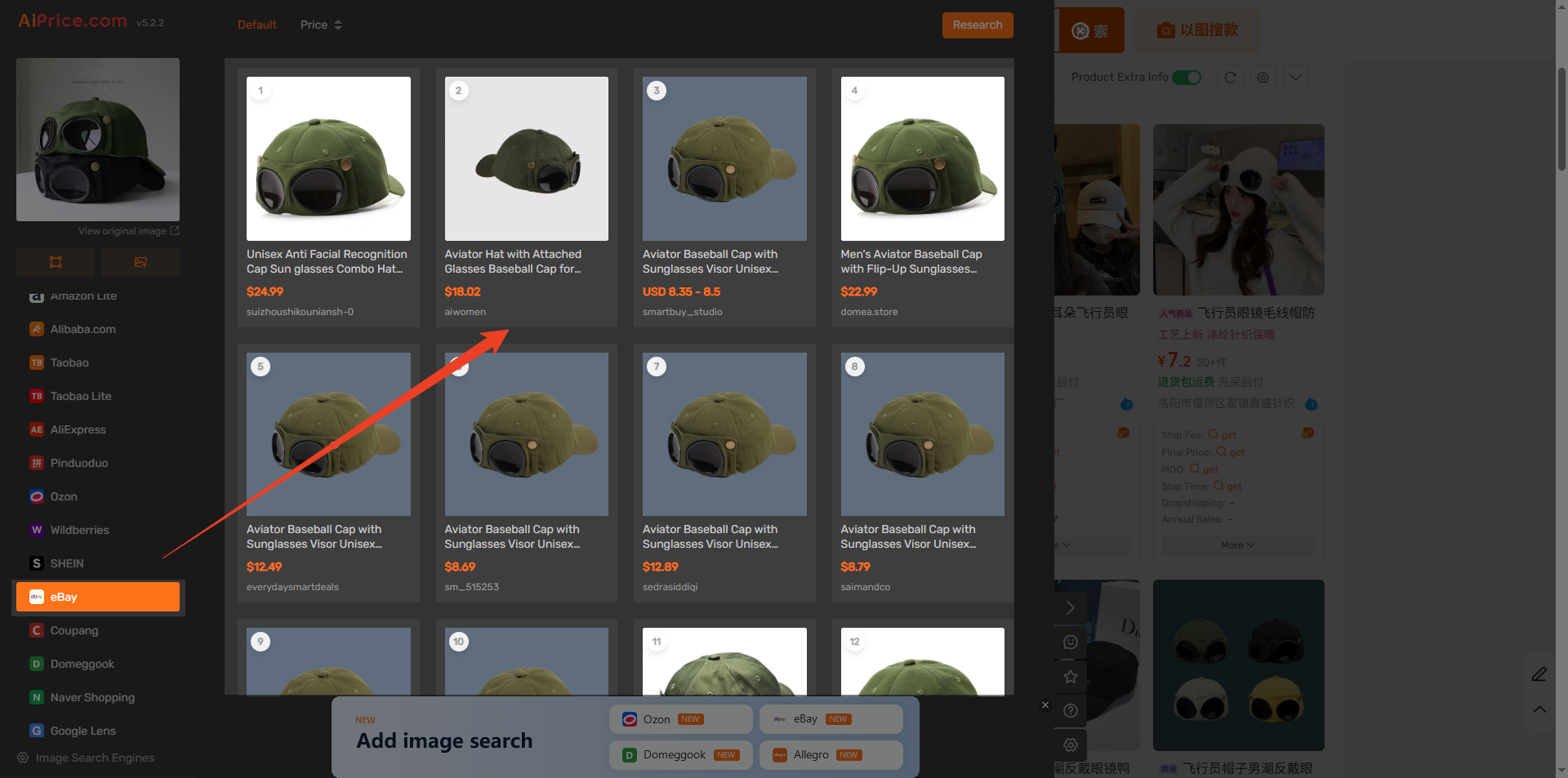 Figure 2. ebay is selected in the left sidebar, with matching hat listings on the right.
If ebay is missing from the sidebar, you can turn it on in the image search settings.
2.Show or hide marketplaces in your results
Run an image search in AiPrice.On the results page, click the gear icon at the bottom of the marketplace list on the left. This opens the image search settings.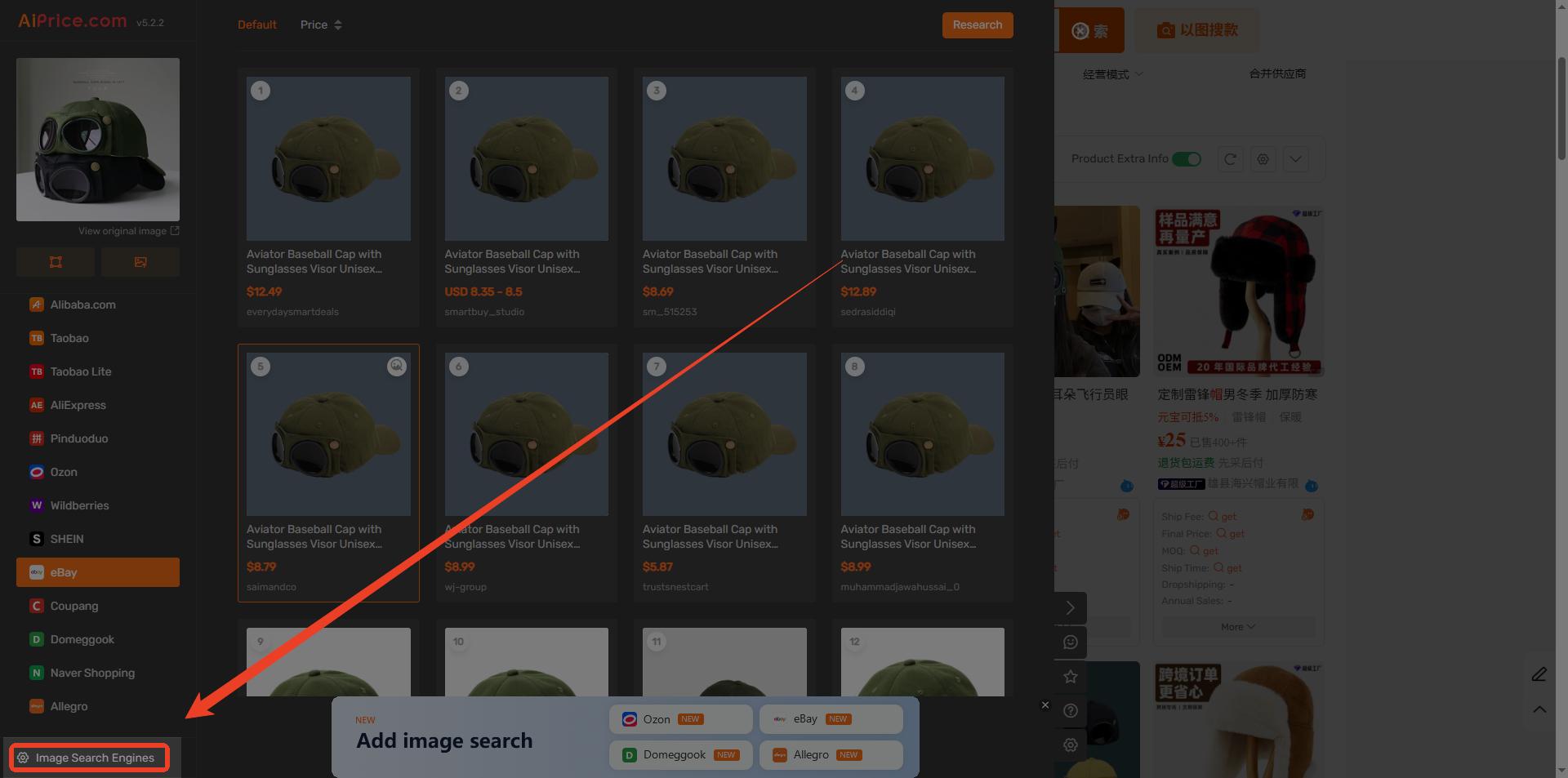 Figure 3. The gear icon at the bottom of the marketplace list opens the image search settings.
Find the marketplace you want to show or hide and use the toggle next to its name. Green means on. Gray means off. When you turn a marketplace on, it appears in the results sidebar. When you turn it off, it’s hidden from the list.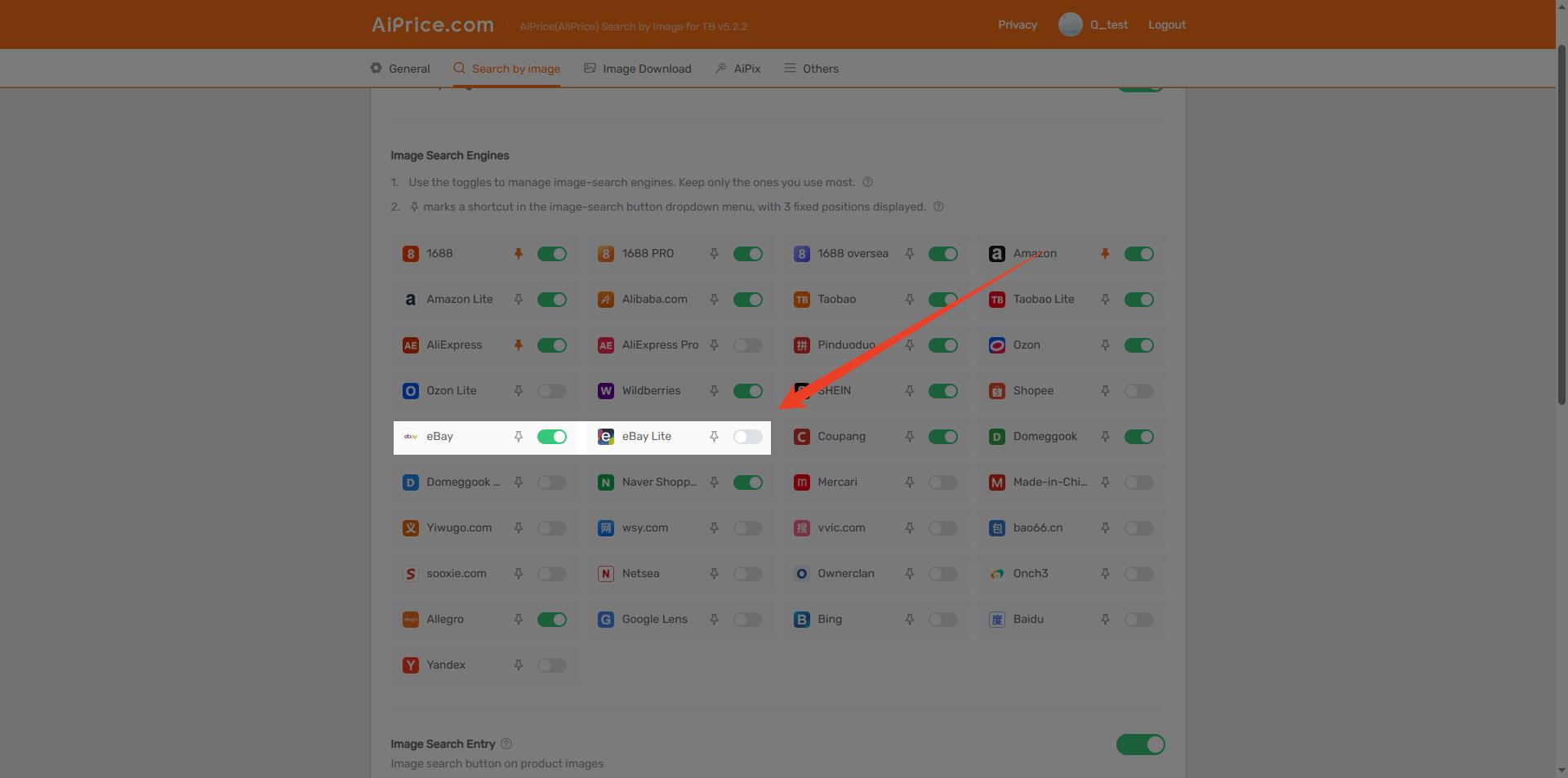 Figure 4. The toggle next to ebay in the image search settings.
If you only need ebay for a particular search, you can hide it afterward and turn it back on whenever you need it.
Pin your most-used marketplaces for quick access
Click the pin icon next to a marketplace in the image search settings to make it a shortcut in the image search button’s dropdown menu. The menu shows three marketplace shortcuts.
For example, if you often source products on 1688, pin it so you can select it directly from the dropdown the next time you search.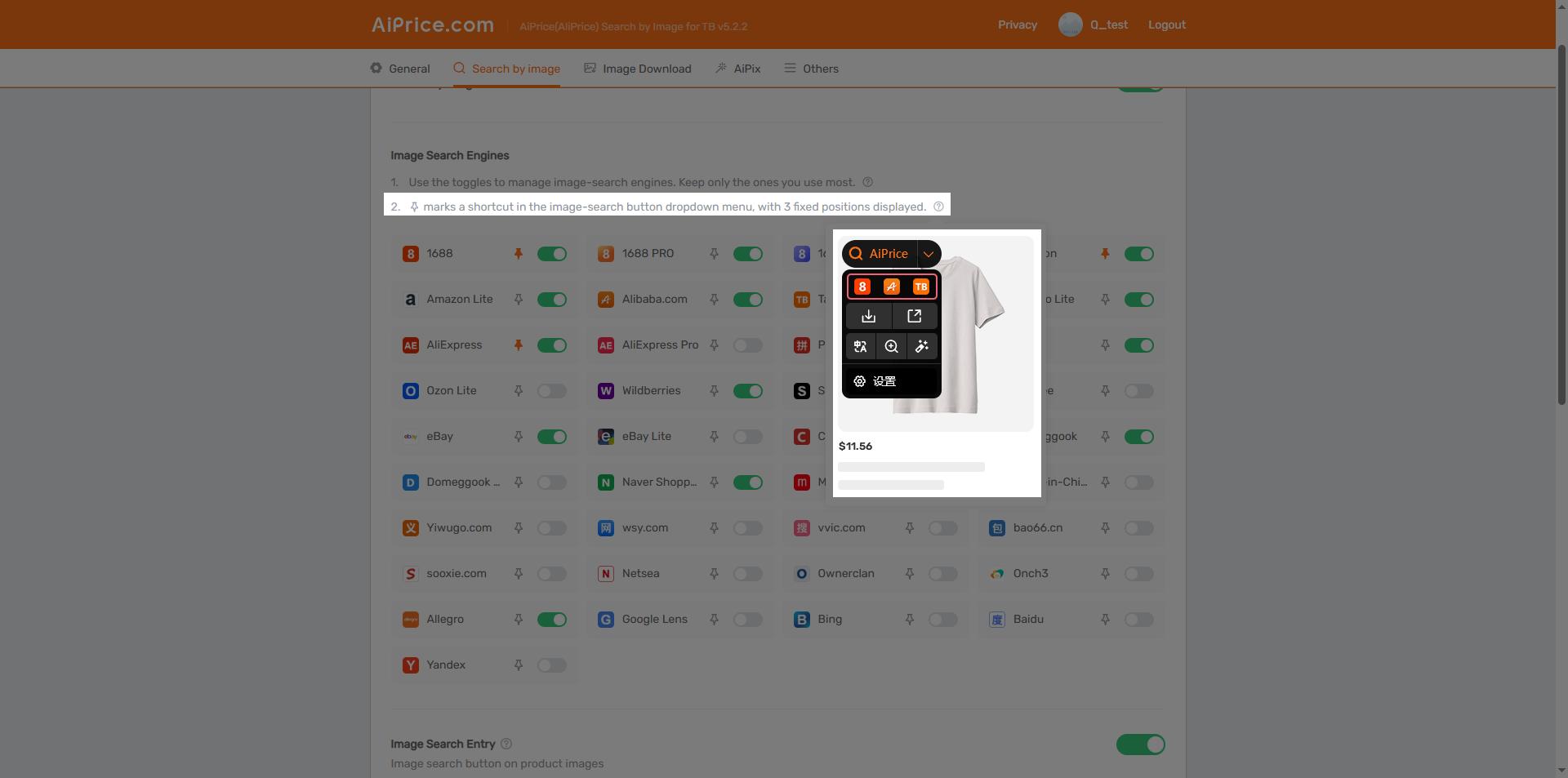 Figure 5. The image search dropdown shows three marketplace shortcuts.
















Log in or sign up to post a question