
 USD / Language






How to Use Price History to Shortlist Products
When several products look promising, checking their price history can help you decide which ones to explore next.
With AiPrice installed and enabled, opening a product detail page automatically brings up the price history feature. You can review price changes while researching the product, then move on to the next option.
Here’s how to work it into your browsing routine.
Open a product that interests you
For example, you might be looking for wireless mice for your store. A few designs catch your eye, so you open their product detail pages to learn more.
On each page, find the AiPrice Price History panel. It displays a line chart showing the product’s price changes over time.
You can start reviewing the chart from the page you’re already on.
Take a quick look at the overall pattern
Start by reading the chart from left to right.
Look for periods when the price stayed fairly steady, points where it rose or fell, and where the recent price sits within the chart.
For a quick first pass, you don’t need to examine every point. Get familiar with the overall pattern, then decide whether you want a closer look.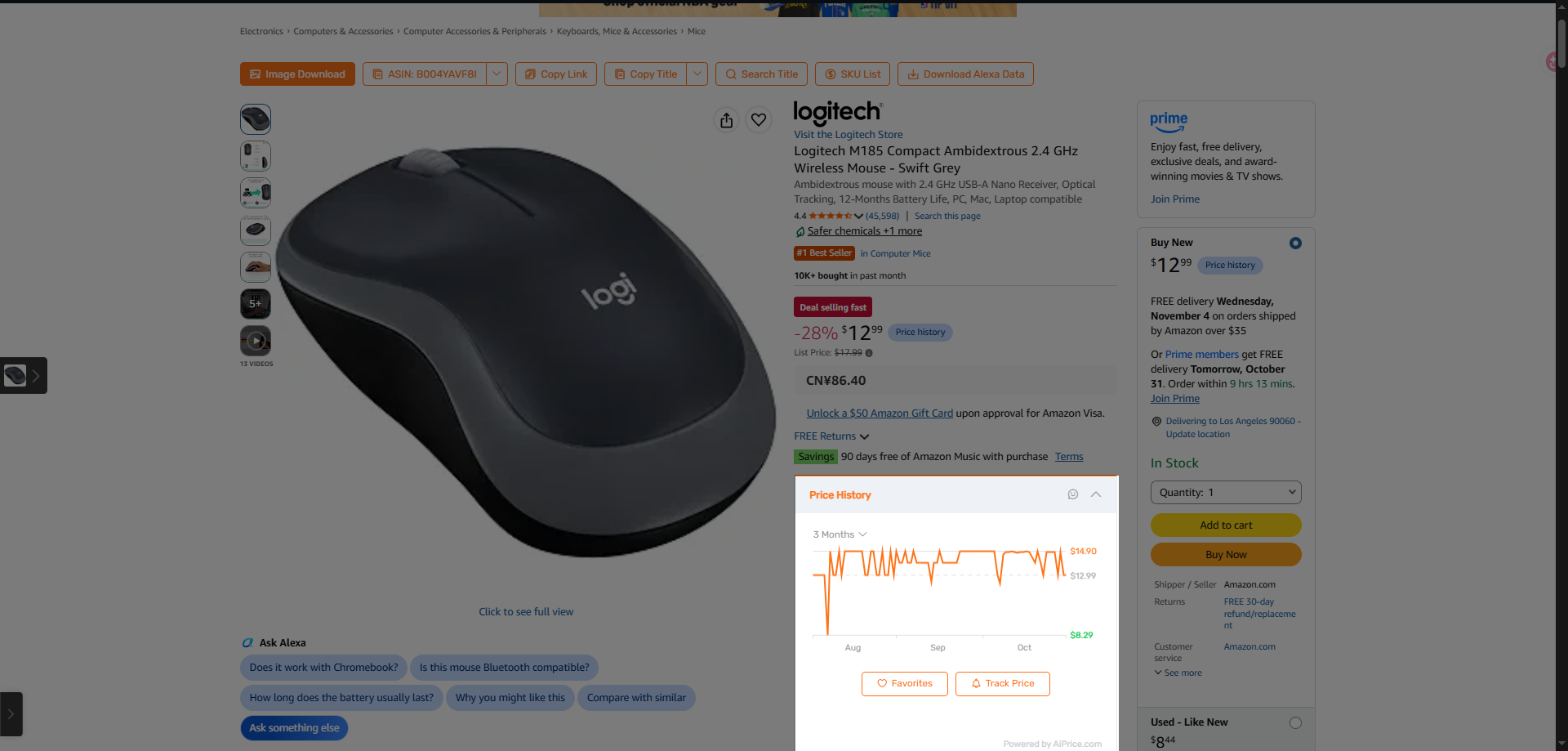
Choose a time range
Use the time menu above the chart to select 1 month, 3 Months, or 6 Months.
Start with 1 month if you want to focus on recent changes. Switch to 3 Months or 6 Months to look further back.
If a particular point interests you, move your pointer over the line to see its date and price.
For a more detailed walkthrough, read Is That Sale Price the Lowest Yet? How to Check Price History.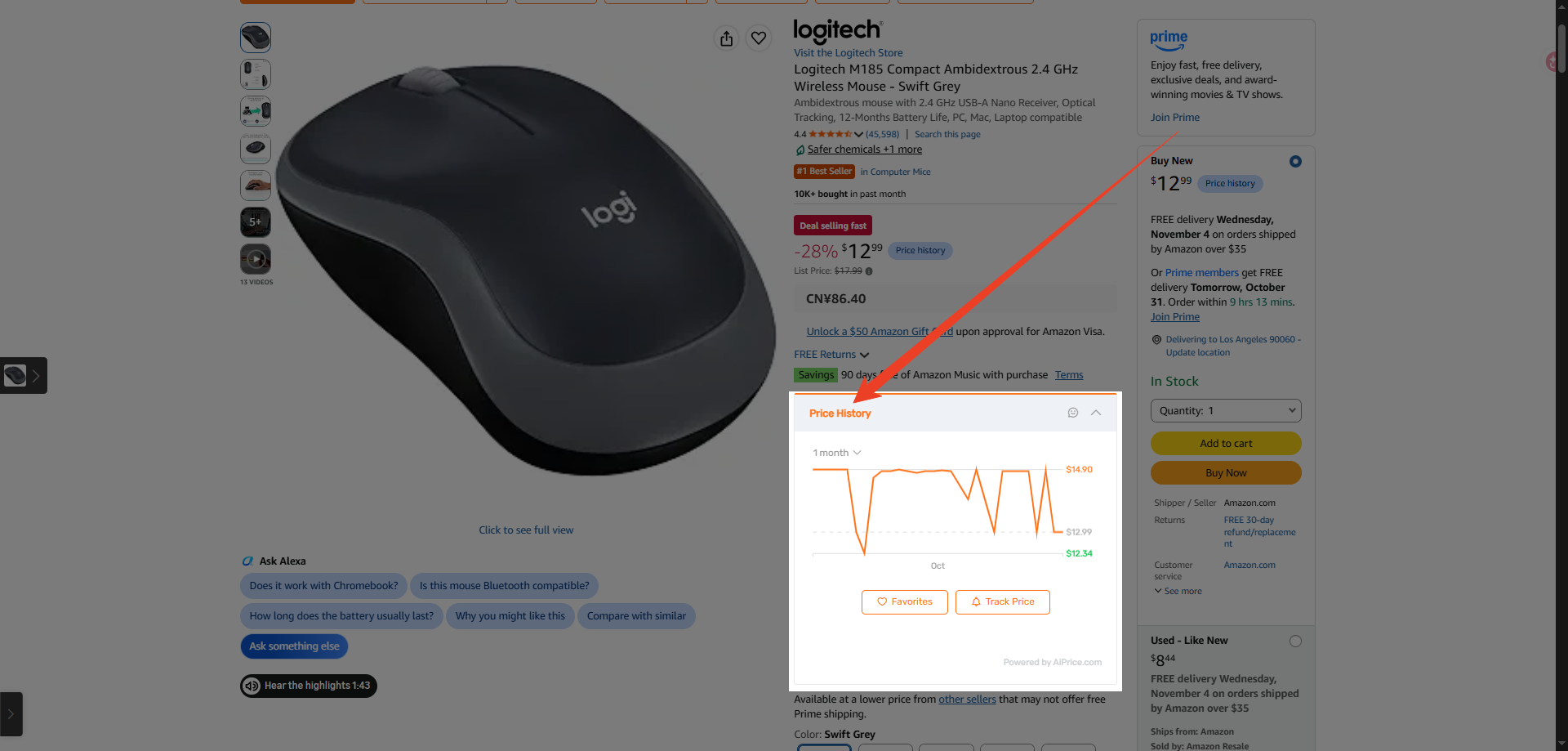
Repeat for your other candidates
Move to another wireless mouse listing and follow the same process:
Open the detail page → review the chart → choose a time range → inspect any points that interest you.
This gives you a way to include price history alongside the design, features, and specifications you’re already reviewing.
If you want to keep following a product, click Track Price. The setup is covered in How to Get Alerts When a Product’s Price Changes.
Visit the AiPrice price history page to explore more ways to use the feature.















Log in or sign up to post a question