USD / Language


Chrome Browser: Extension Installation / Upgrade Tutorial (Online)
Video Tutorial
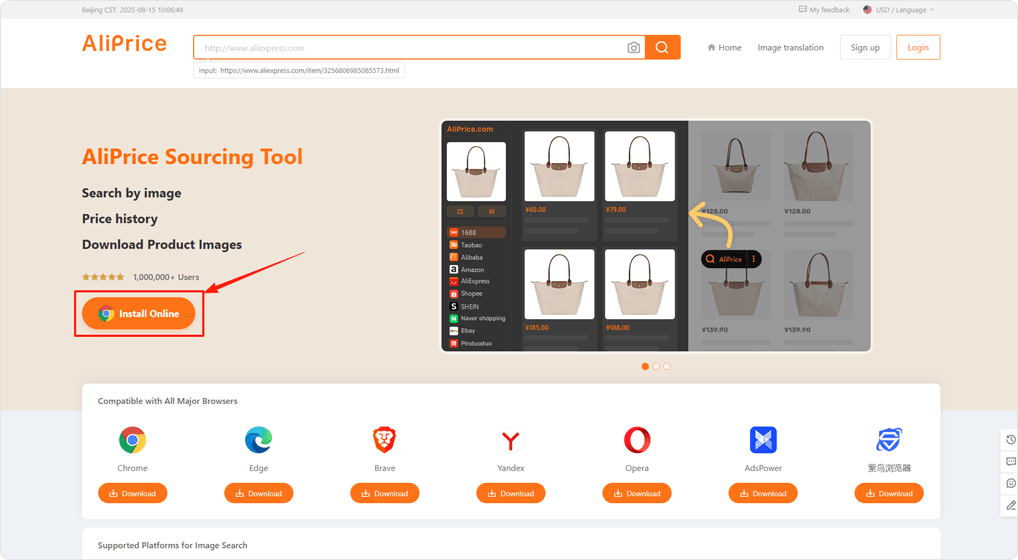
Step-by-Step Guide
1
2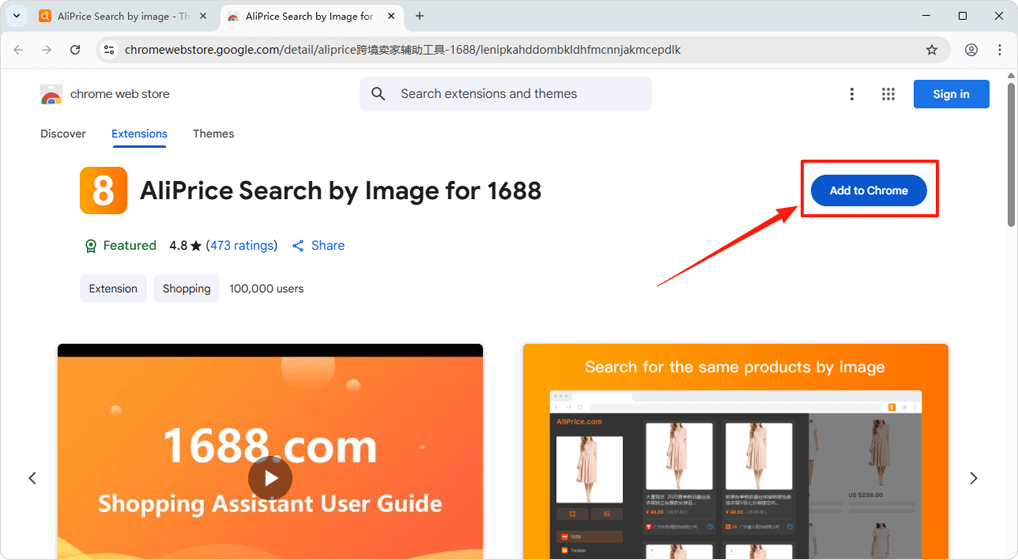
Install
Click the [Add to Chrome] button
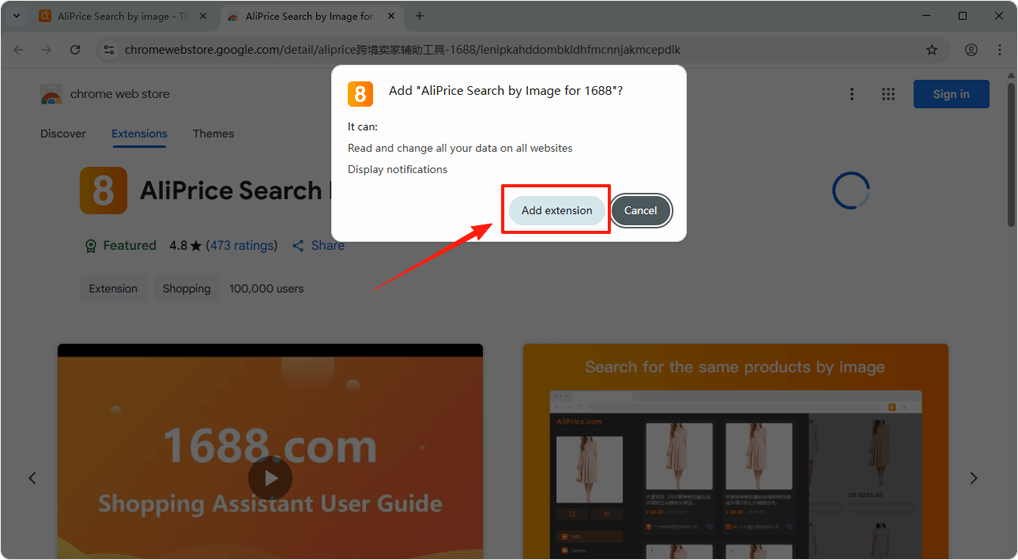
In the pop-up, click the [Add extension] button
3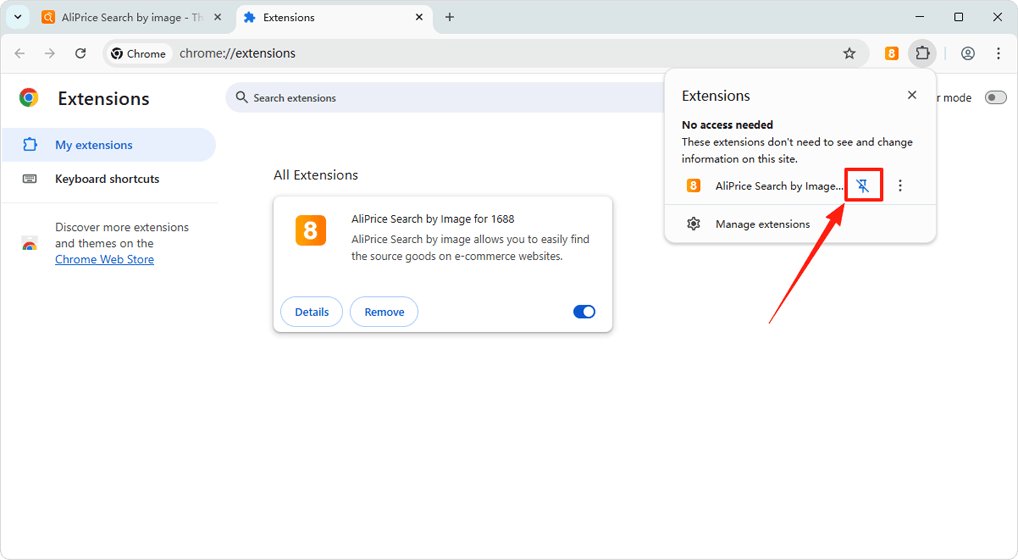
Installation Successful
After installation, click the "Pin" icon to keep the extension icon in the browser's top-right corner.