 USD / Language


AliExpress Image Downloader – Download Images & Videos in One Click
For dropshippers, e-commerce sellers, and product researchers, downloading product images and videos from AliExpress is a common daily task. However, AliExpress itself does not provide a convenient way to download all product media at once or save them in the best quality.
AliExpress Image Downloader – Images and Videos is a powerful browser extension that solves this problem. With this tool, you can download product images, variation images, description images, review images, and videos from AliExpress in one click, saving them in the highest possible quality.
This makes it an ideal tool for anyone working in dropshipping, product sourcing, or e-commerce research.
Why Use an AliExpress Image Downloader?
If you try to download images manually from AliExpress, you will quickly notice several limitations.
You usually need to save images one by one, which is time-consuming. Some images may also appear compressed or reduced in quality, and collecting review images or product videos can be even more difficult.
In addition, many product pages contain dozens of images inside the product description, which can be tedious to download individually.
Using the AiPrice (formerly AiPrice) AliExpress Image Downloader, you can collect all these resources instantly and organize them efficiently for your business.
Why Choose AiPrice?
AiPrice is designed specifically for e-commerce professionals and global sellers who need to collect product media quickly and efficiently.
Key advantages include:
One-click download of AliExpress images and videos
Save images and videos in the best available quality
Download customer review images easily
Batch download multiple files at once
Export images as ZIP files for quick storage
Works not only on AliExpress but also on Alibaba, 1688, Taobao and other platforms
Because of these features, AiPrice has become a popular productivity tool for online sellers and product researchers.
How to Download AliExpress Images in 3 Simple Steps
Using the extension is very simple and requires no complicated setup.
Step 1: Install the AiPrice extension in your browser.
Step 2: Open any AliExpress product page.
Step 3: Click the download buttons next to the images or videos.
Once you click the button, the extension will automatically collect and download the available media files from the page.
Core Features
AiPrice provides the main functions that most sellers and researchers need when collecting product media.
You can download main product images and variation images directly from the product gallery. This is especially useful when products have many color or style variations.
The extension also allows you to download images from the product description, which often contain detailed product photos, charts, and marketing visuals.
Another useful feature is the ability to download product videos and review images. These resources are valuable for understanding product quality and customer feedback.
For better organization, you can also download multiple images at once and save them as ZIP files.
Advanced Features for E-commerce Sellers
AiPrice offers additional tools that go beyond simple image downloading and help sellers with product research and supplier comparison.
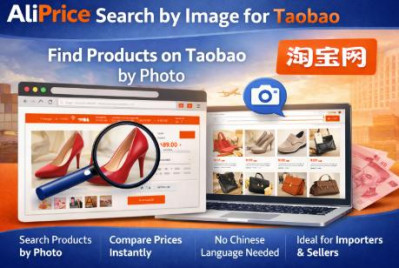
One powerful feature is search by image, which allows you to find the same product across multiple platforms such as AliExpress, 1688, Taobao, and Amazon. This is extremely useful for locating cheaper suppliers or comparing listings.
Another helpful tool is the price history tracker, which shows historical price trends so sellers can identify fake discounts or analyze pricing strategies.
The extension also includes a currency converter, making it easier for global sellers to understand product prices in their local currency.
In addition, AiPrice supports page translation and quick screenshots, helping users quickly capture product information or translate Chinese product listings.
For advanced research and data analysis, users can even export product information, reviews, SKUs, and shopping cart data to Excel.
These features make AiPrice not just a downloader but a complete e-commerce research toolkit.
Who Should Use This Tool?
AiPrice is useful for many types of users working in global e-commerce.
Dropshippers can quickly collect product images and videos to build listings on Shopify, WooCommerce, and other platforms.
Online sellers can use it to create product pages faster and gather marketing materials.
Product researchers can analyze competitors and gather product data efficiently.
Importers and wholesale buyers can compare suppliers across different marketplaces.
A Complete Toolkit for Product Research
While many tools only focus on downloading images, AiPrice combines media downloading, product research, and data analysis tools in a single extension.
This allows users to save time, improve research efficiency, and find better products and suppliers.
For anyone working with AliExpress or other Chinese marketplaces, AiPrice can significantly simplify the workflow.
Install it: https://chromewebstore.google.com/detail/aliprice-download-aliexpr/fiefopcjgelmdojopojlnohofoggeagf








Log in or sign up to post a question