 USD / Language
1688 Image Downloader: Download 1688 Product Images Easily with AiPrice (formerly AliPrice)
Home/Others/1688 Image Downloader: Download 1688 Product Images Easily with AiPrice (formerly AliPrice)
If you source products from 1688.com, you already know how important high-quality product images are. Whether you’re running a Shopify store, selling on Amazon, or doing product research, manually saving images from 1688 is slow, inconvenient, and often results in low-quality files.
That’s where AiPrice (formerly AiPrice) 1688 Image Downloader comes in.
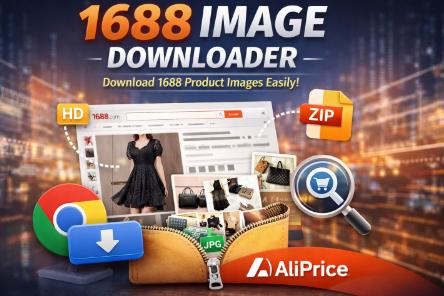
AiPrice is a powerful Chrome extension that lets you download 1688 product images in one click, helping sellers, dropshippers, and sourcing professionals work faster and more efficiently.
Why You Need a 1688 Image Downloader
1688 is one of the largest wholesale platforms in China, but it doesn’t provide a native way to download product images in bulk. Common problems include:
Images can only be saved one by one
Some images are protected or compressed
Variation images are hard to collect
Product detail images require manual screenshots
A dedicated 1688 image download tool solves all of these issues.
What Is AiPrice 1688 Image Downloader?
AiPrice 1688 Image Downloader is a Chrome extension designed specifically to help users download images from 1688 product pages quickly and in high quality.
With AiPrice, you can download main images, variation images, and description images from 1688 in just a few clicks—no technical skills required.
Key Features of AiPrice 1688 Image Downloader
One-Click Download of 1688 Images
Download all product images from a 1688 listing instantly, without saving them one by one.
Supports All Image Types
Main product images
SKU / variation images
Detail and description images
All images are saved in their original resolution whenever possible.
Batch Download & ZIP Export
Download multiple images at once and export them as a ZIP file, saving time on large product collections.
Built-In Image Search for Product Comparison
Use downloaded images to search for the same or similar products on other platforms, making price comparison and sourcing easier.
Part of the AiPrice Multi-Platform Toolkit
AiPrice doesn’t just work on 1688. It also supports:
AliExpress
Alibaba
Amazon
Taobao
Shein
One extension covers multiple sourcing platforms.
Who Should Use a 1688 Image Downloader?
AiPrice’s 1688 image downloader is ideal for:
Dropshippers building product listings
E-commerce sellers on Shopify, Amazon, or Etsy
Sourcing agents and buyers
Product researchers and trend analysts
Designers and marketers who need clean product visuals
If you work with 1688, this tool can easily save you hours every week.
How to Download Images from 1688 with AiPrice
Install the AiPrice Chrome extension
Open any 1688 product page
Click the AiPrice icon
Select the images you want
Download instantly or export as a ZIP file
No login to 1688 is required.
Why Choose AiPrice Over Other 1688 Image Downloaders?
Fast and reliable image extraction
High-quality image downloads
Clean and user-friendly interface
Regular updates and platform support
Trusted by global e-commerce users
Unlike basic image-saving tools, AiPrice is built specifically for product sourcing and e-commerce workflows.
Final Thoughts
If you’re looking for the best 1688 image downloader, AiPrice is a smart choice. It helps you download product images faster, compare products across platforms, and build listings more efficiently.
Stop wasting time saving images manually.
Start using AiPrice 1688 Image Downloader today and streamline your sourcing process.








Log in or sign up to post a question