
 USD / Lingua


Introduction of Search by image on AliExpress
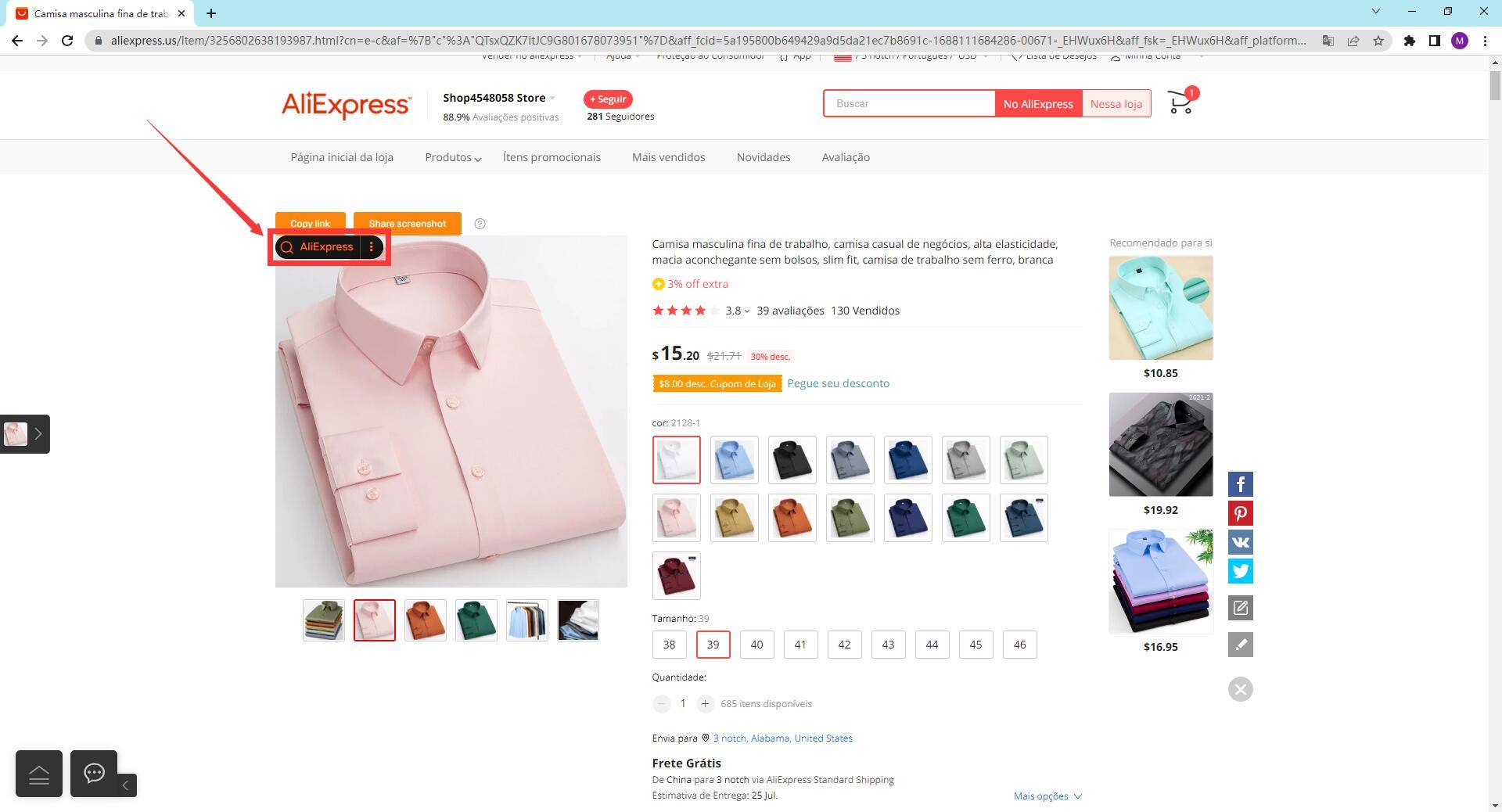
Search by image on AliExpress is a powerful tool that provides a range of useful features to make your shopping and selling process more convenient and efficient.
Here are some of the main features provided by this extension:
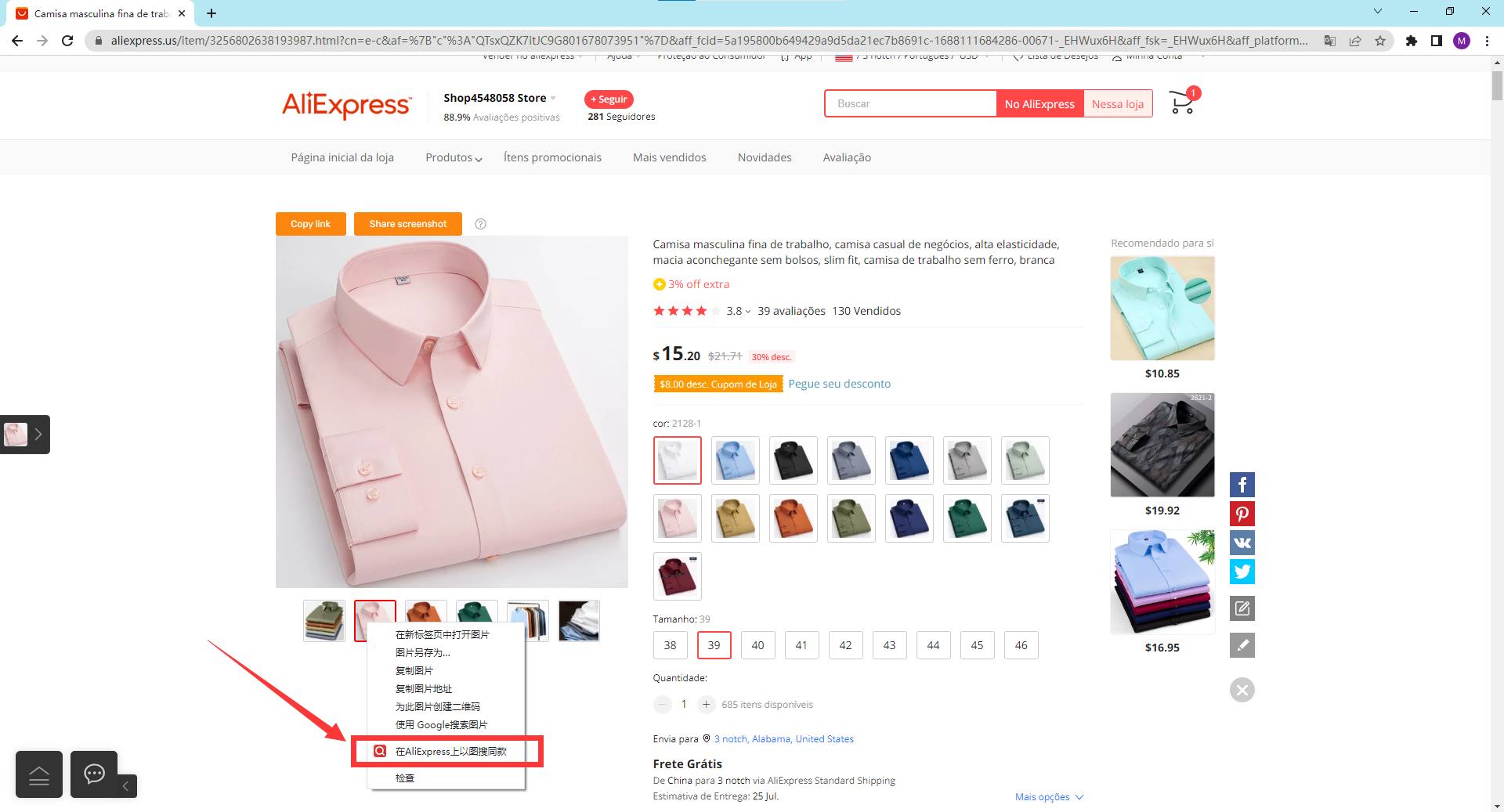
1.Searching for the Same Products on Multiple Platforms
Supports up to 31 domestic and foreign e-commerce platforms that can search for the same products with images:
1688.com, 1688 Cross-Border, 1688 Lite, Taobao, Taobao Lite, Shopee, Alibaba, Aliexpress, JD, eBay, Pinduoduo, Pinduoduo Wholesale Edition, Yiwu Shopping, Google Lens, Searching for styles, Wildberries, Hangzhou Women's Clothing Network, Four Seasons Constellation Network, Netshoes, 17 Network, I Love Shoe Search, Taoyang Network, Baoniuniu, New Style Network, 91 Home Textiles Network, Yiwu Small Commodity City, Looking for Home Textiles, Children's Business Network, Clothing Collection, Cloud Car Products, Juyi Network, Naver, Shein
You can refer to the source prices of multiple platforms according to the image search results, or it can be used as one of the ways to view competitors.
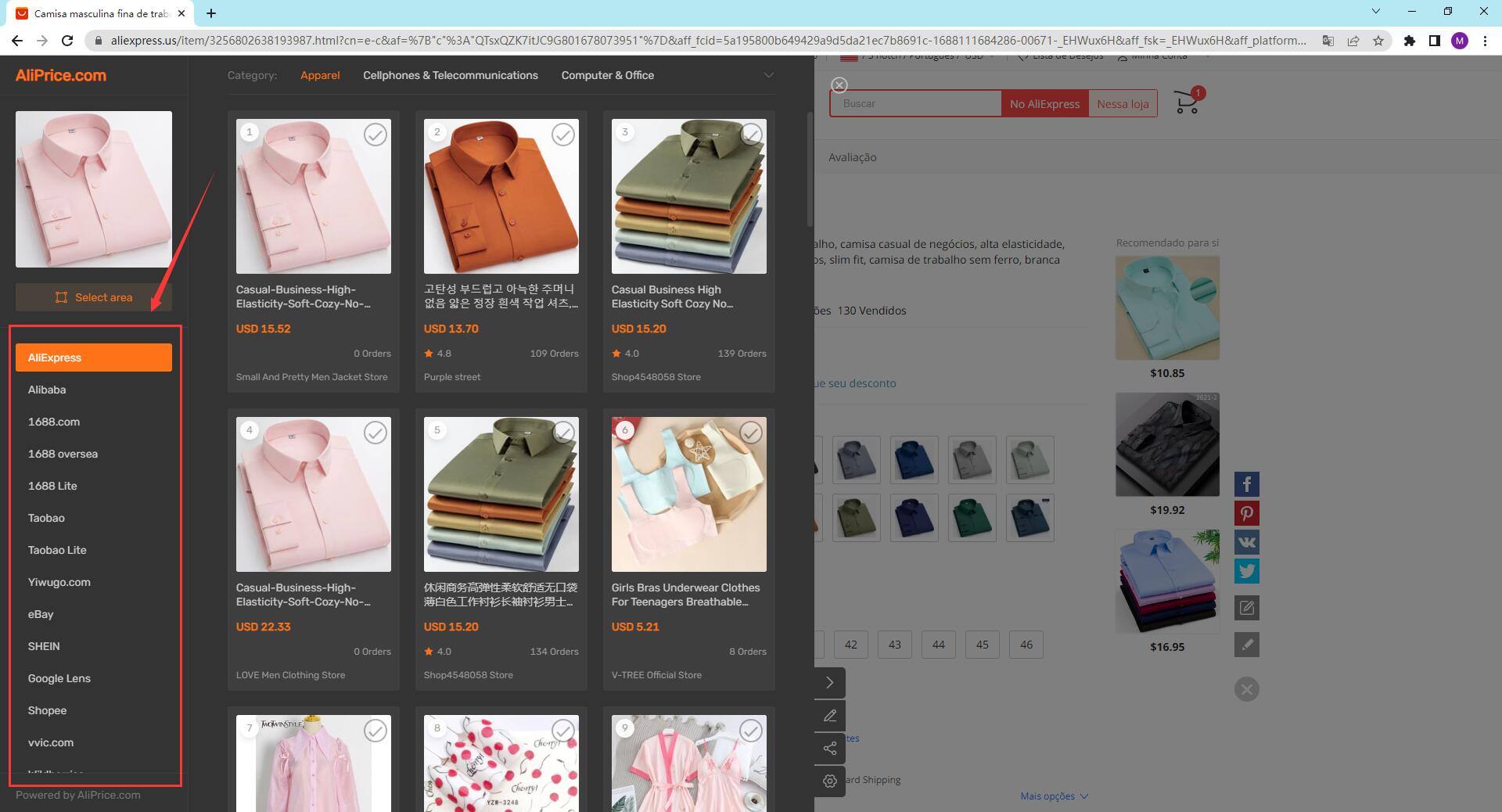 2.Add to Comparison
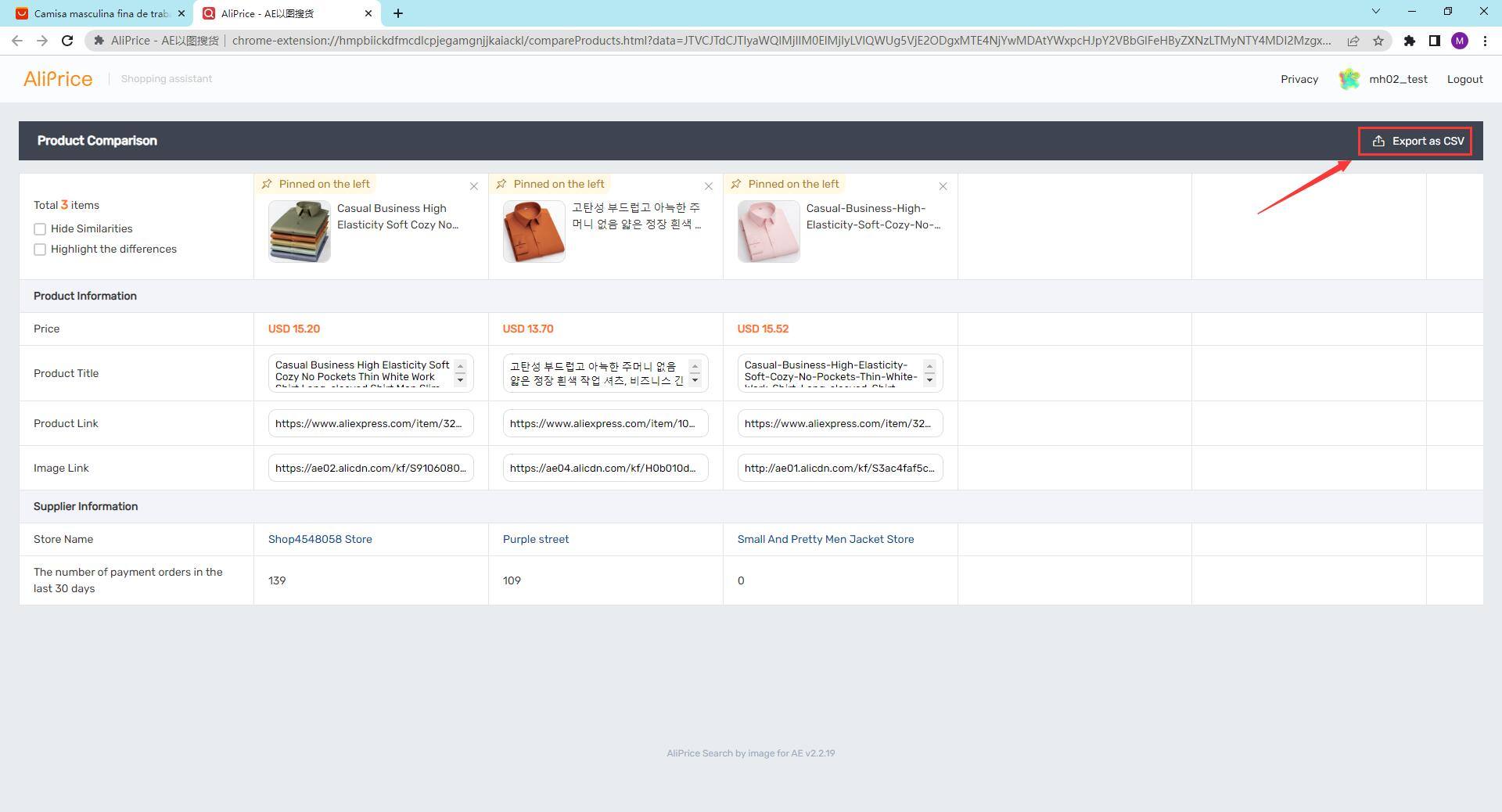
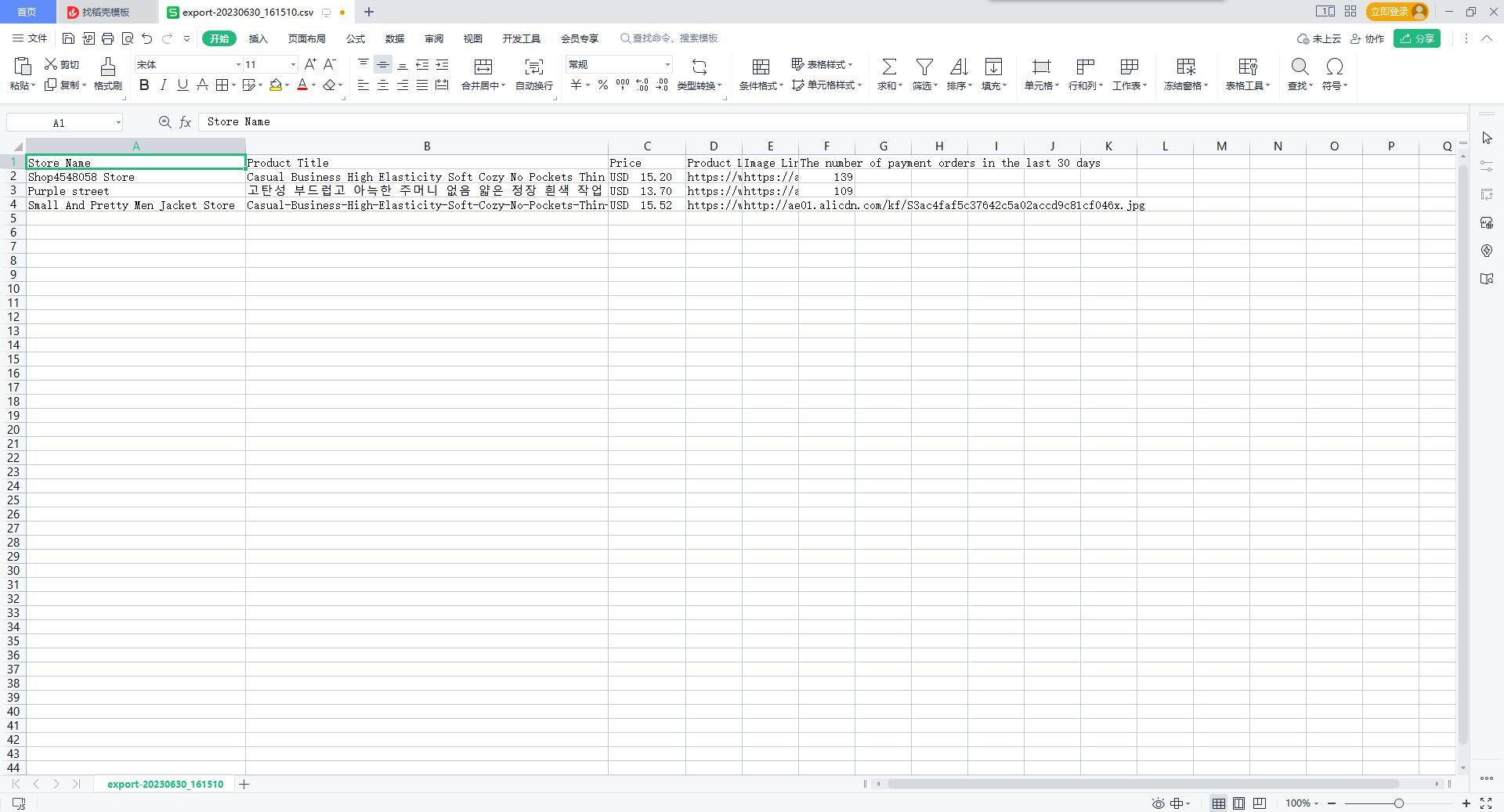
Select products and compare their information, including prices, titles, links, images, and supplier details. This feature currently supports platforms such as 1688.com, Taobao, AliExpress, Alibaba, Shopee, and eBay. You can export the comparison results using the CSV export function.
3.Download Images
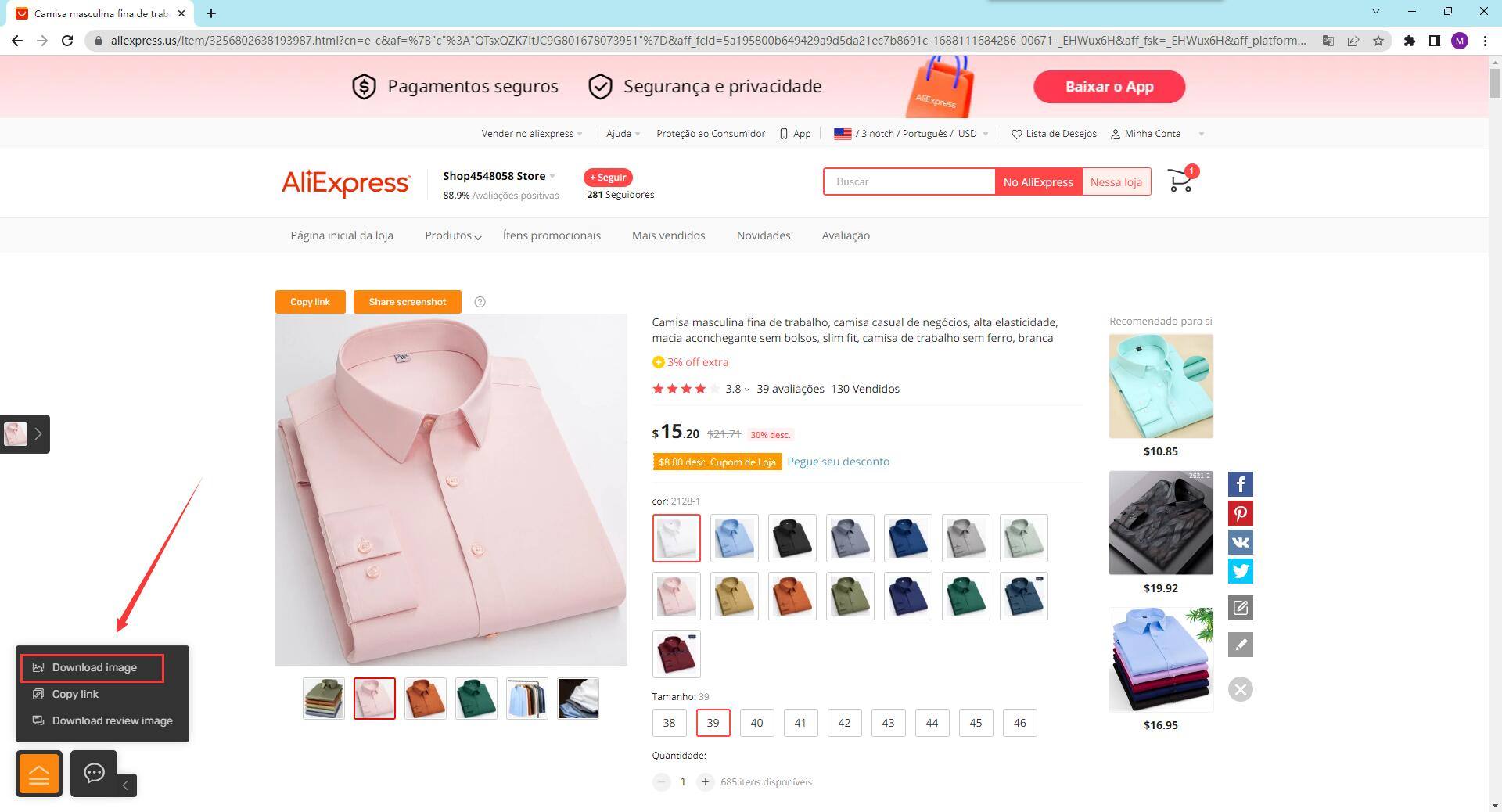
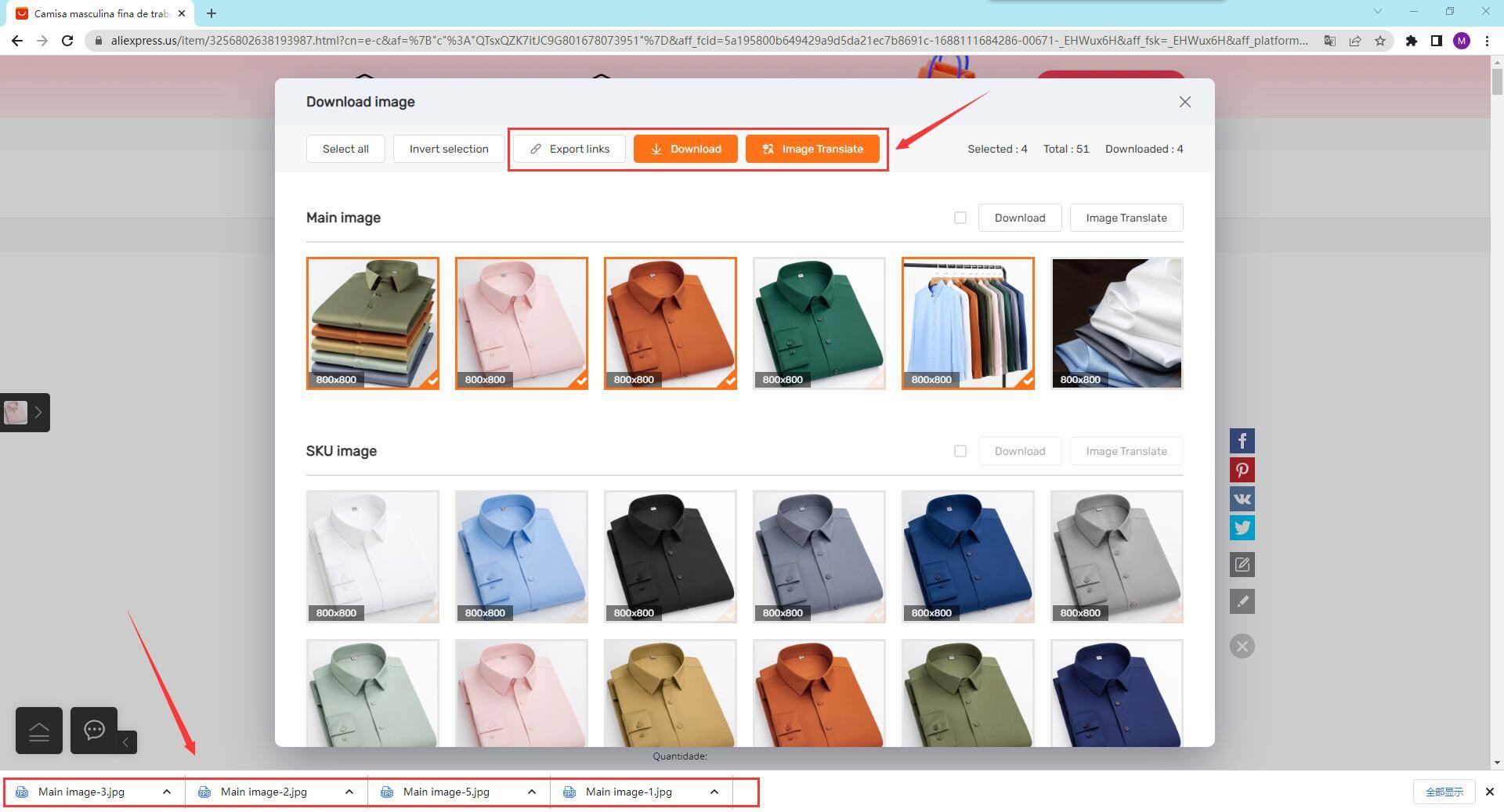
You can download images from platforms such as AliExpress, Amazon, eBay, DHGate, Walmart, Taobao, and more. The download image dialog allows you to export image links, download images, and even translate images if needed.
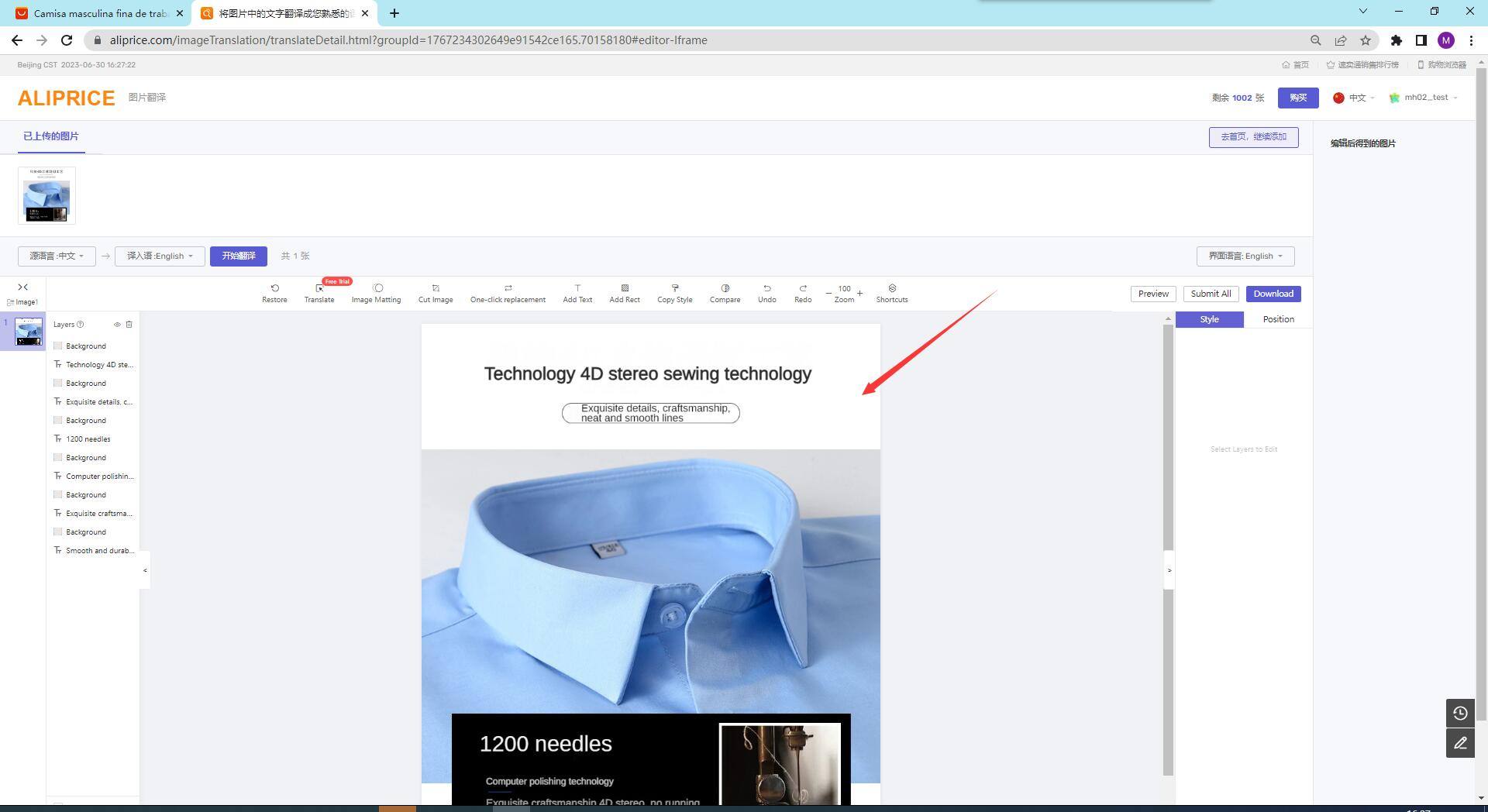
4.Copy Links
This feature supports copying links from platforms like 1688, Taobao & Tmall, AliExpress, Walmart, Amazon, Shopee, Lazada, and Alibaba. Simply click the menu in the lower-left corner or the copy link option on the detail page to copy the link.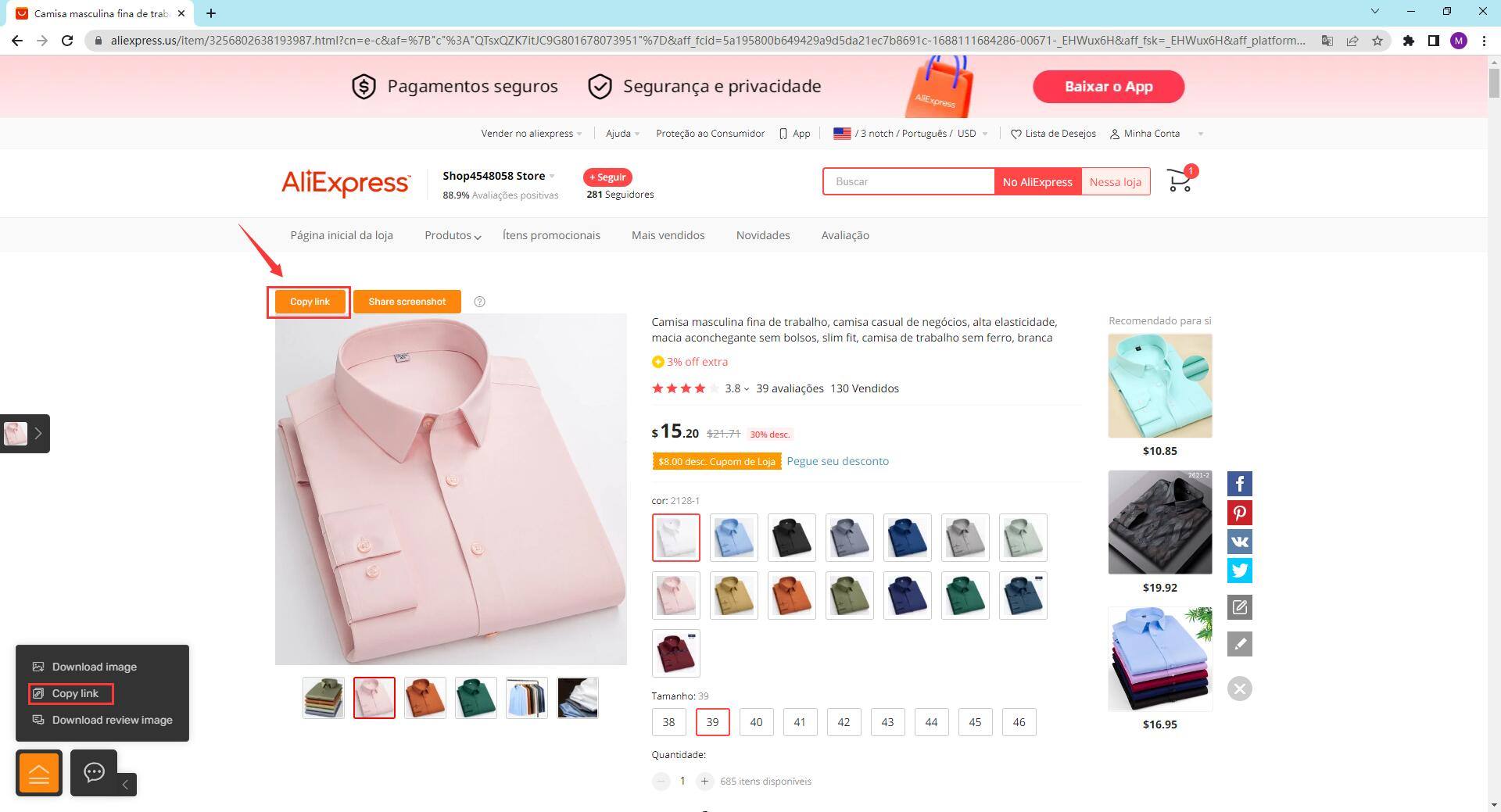
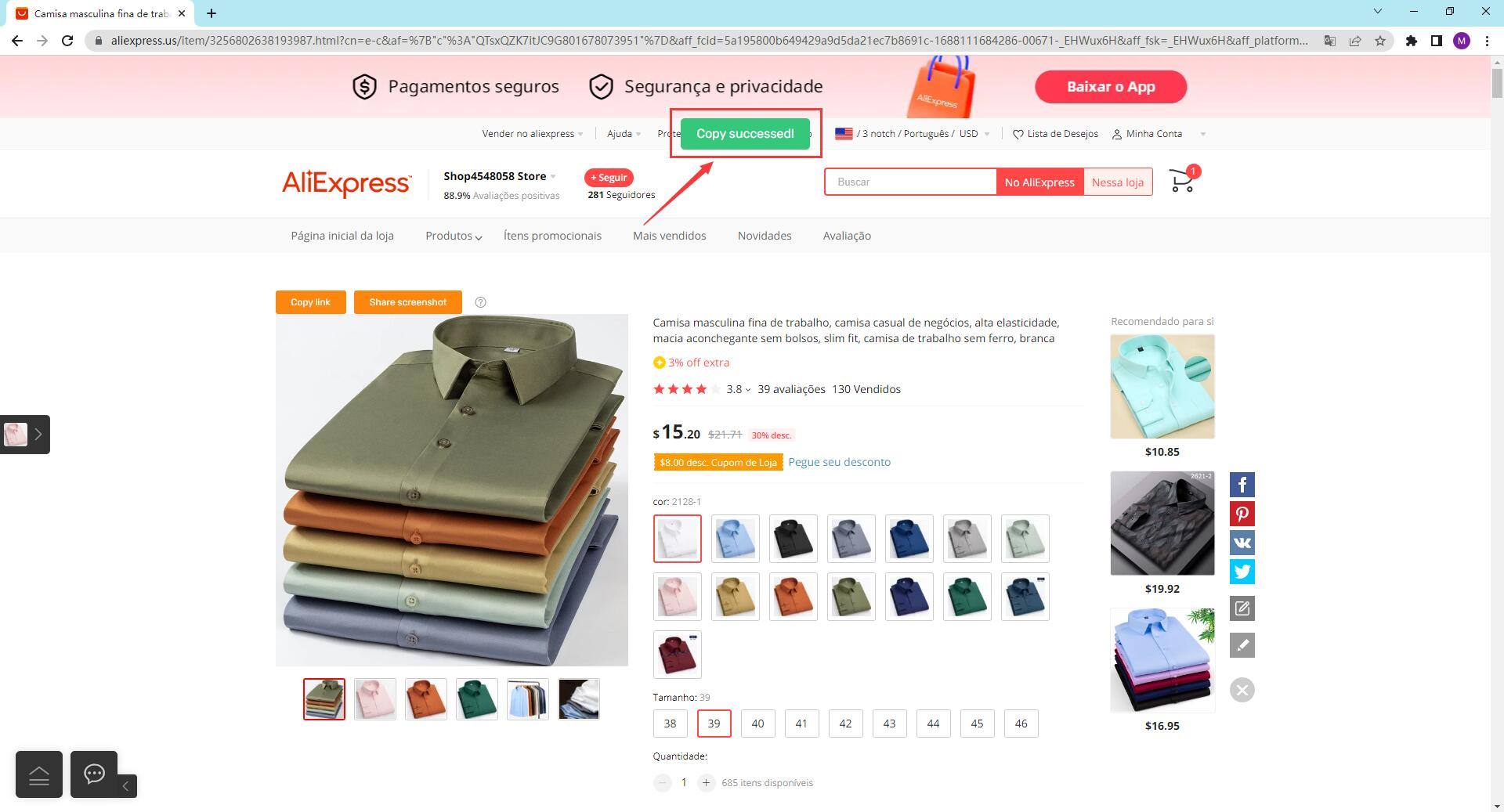
5.Purchasing Agent
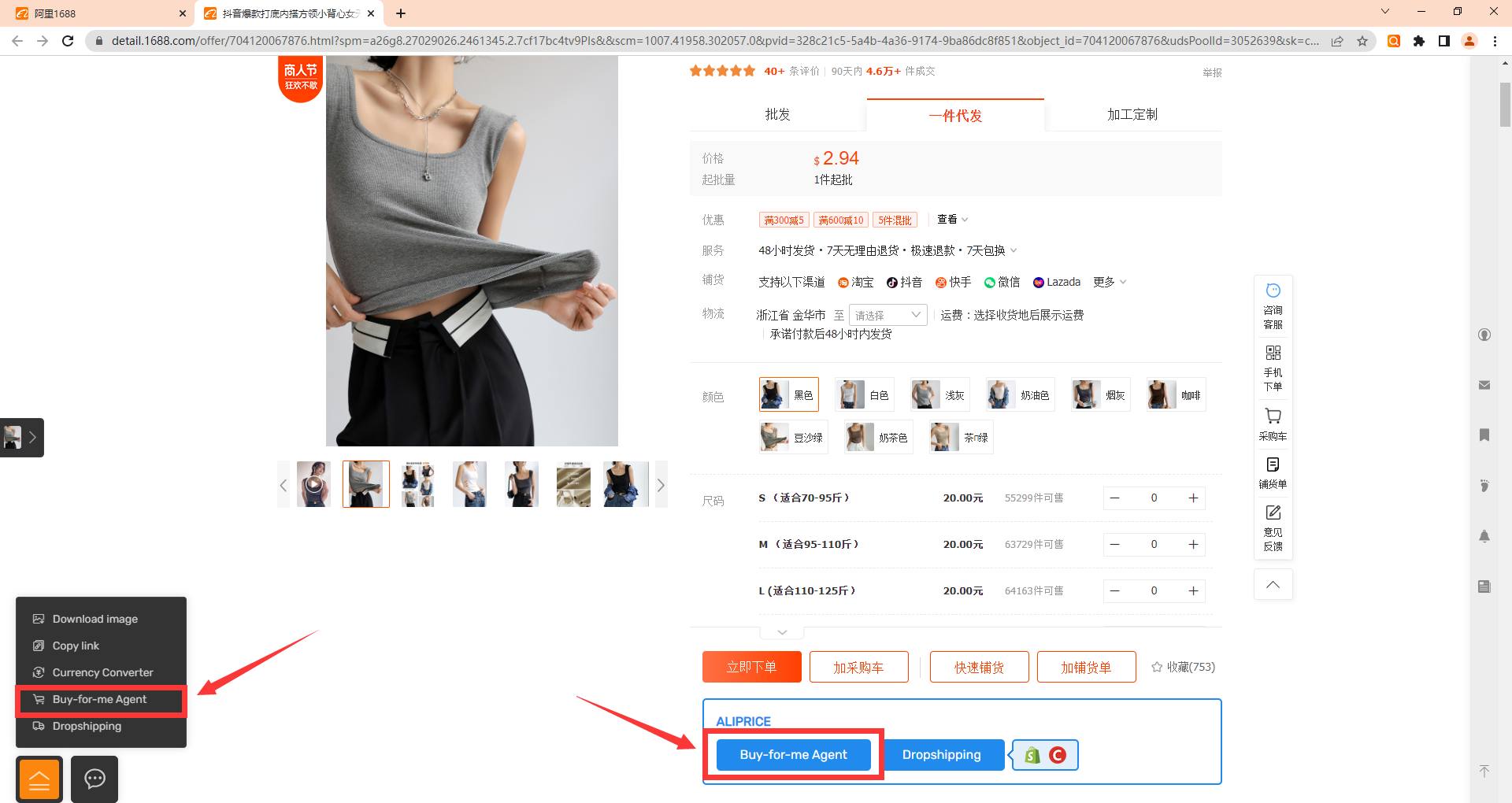
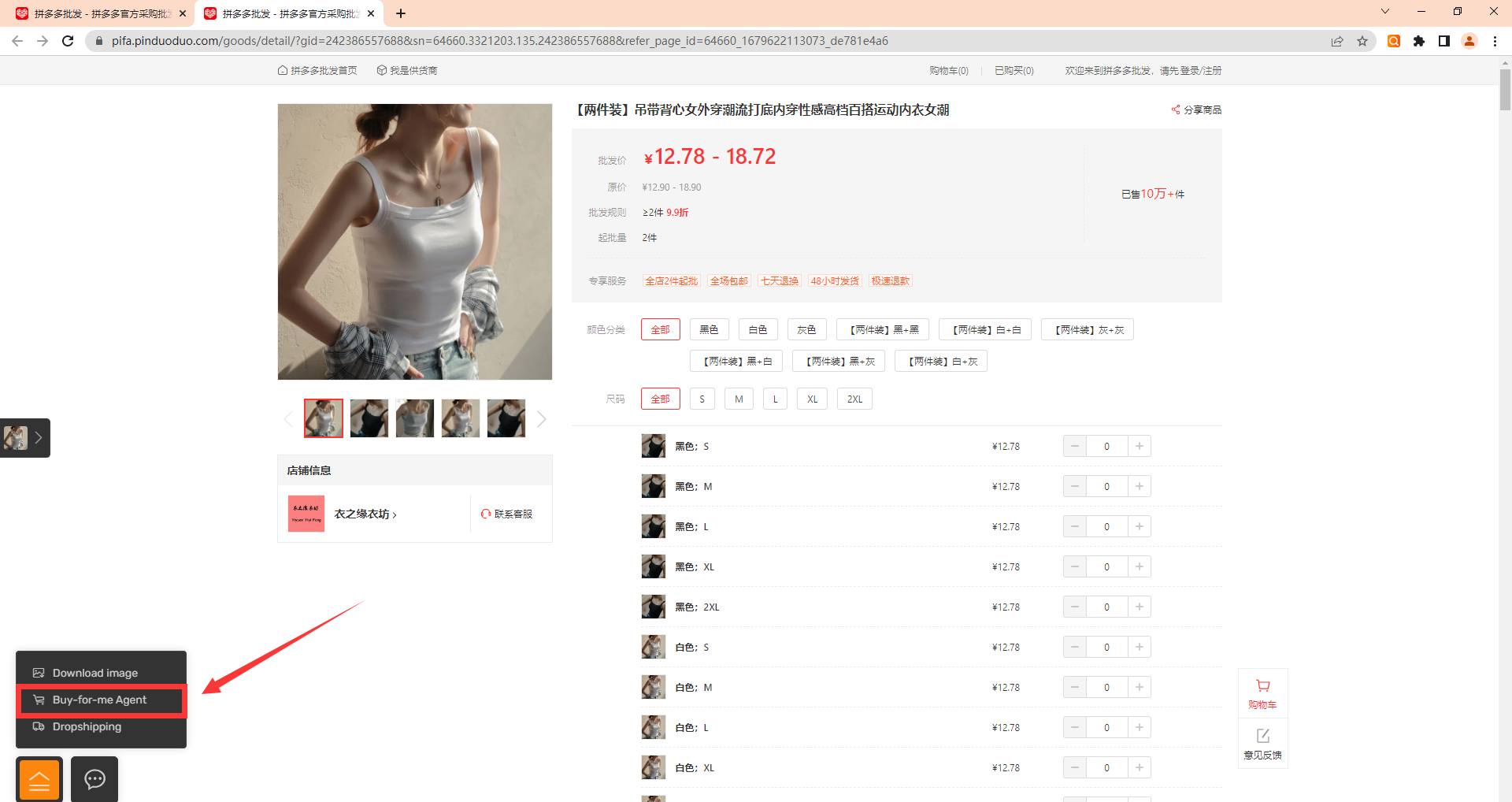
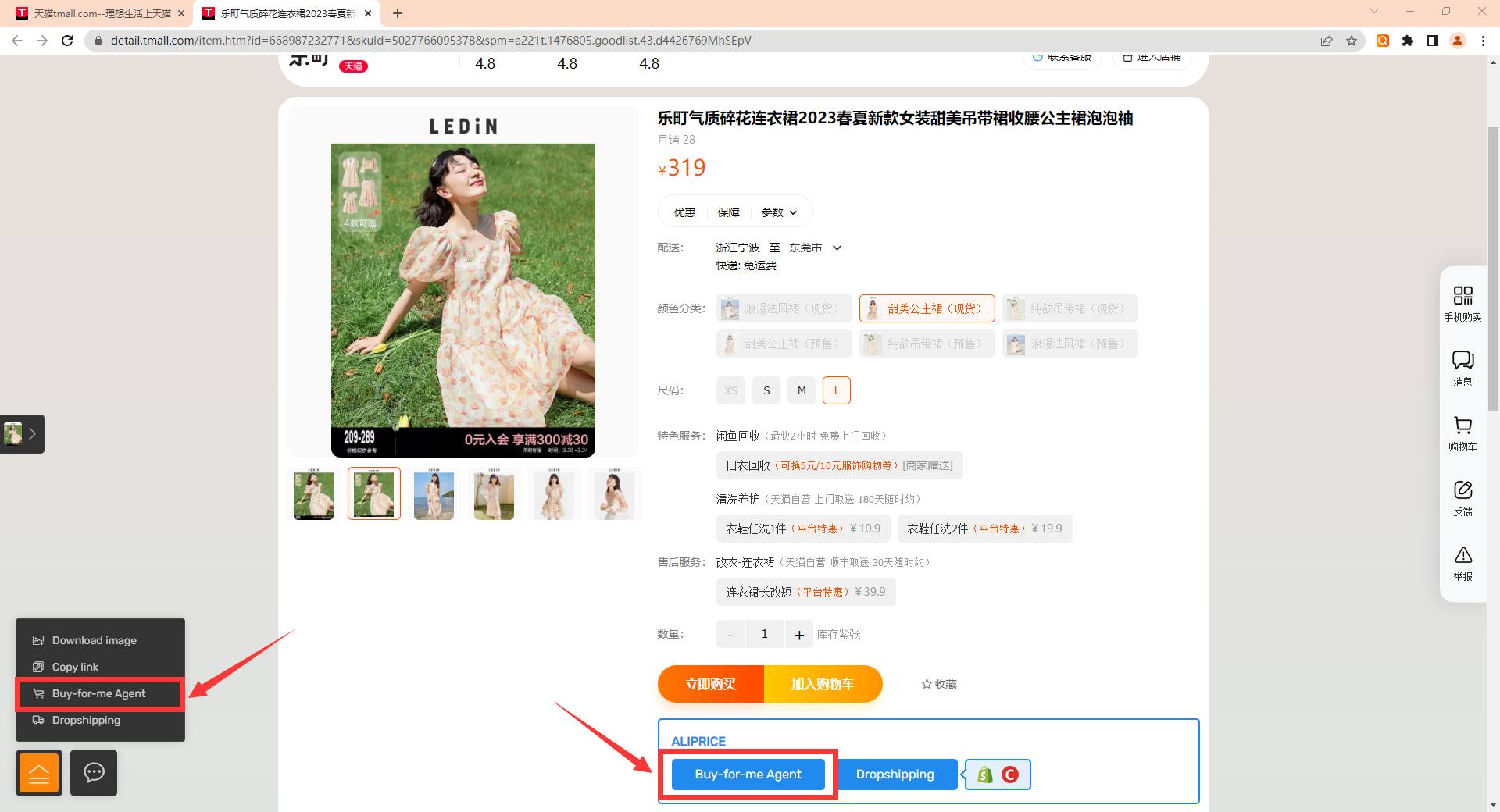
By selecting the purchasing service in the menu, you can be redirected to the website's purchasing page. This service is available for platforms like 1688, Taobao & Tmall, and Pinduoduo retail.
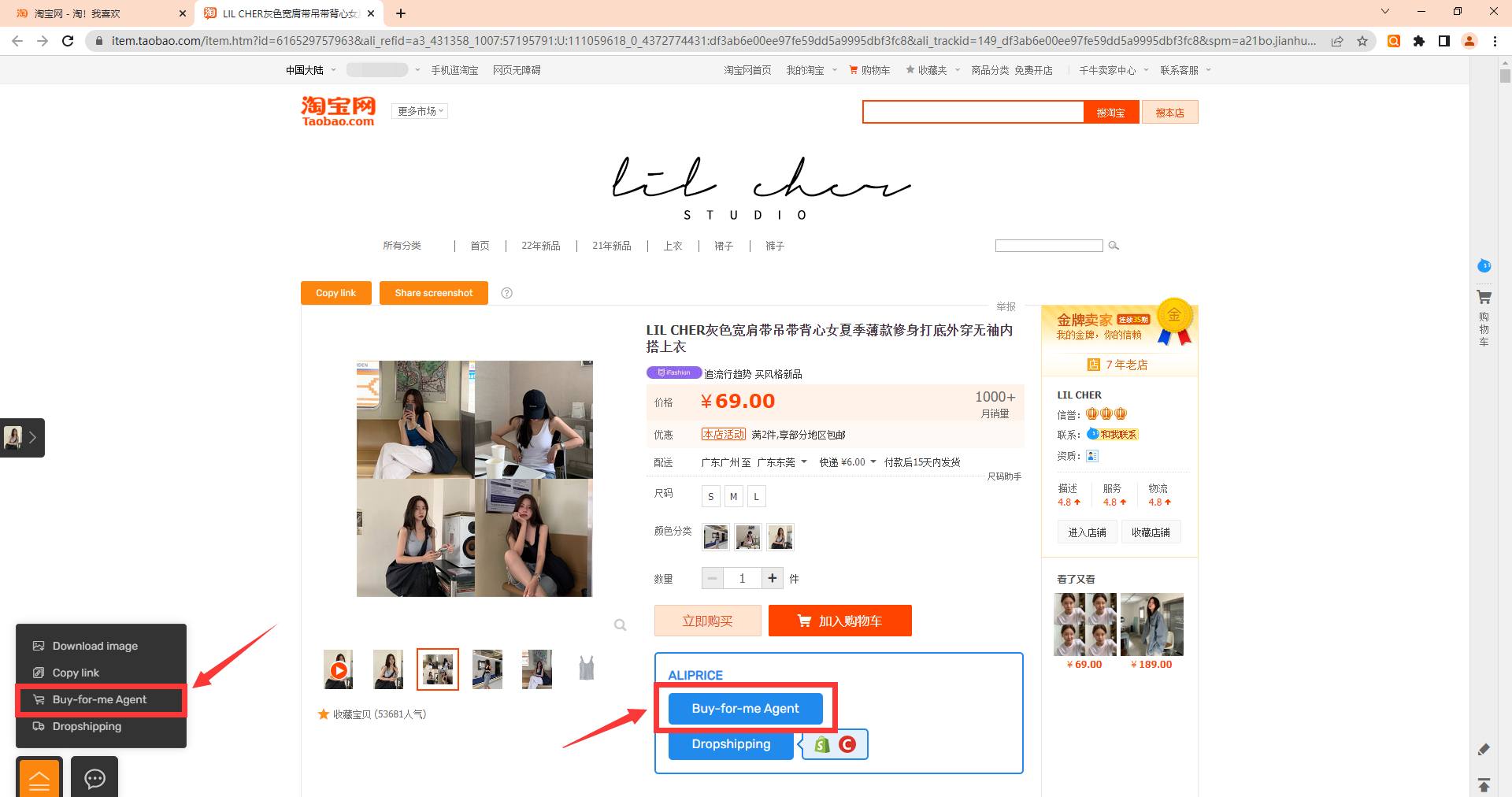
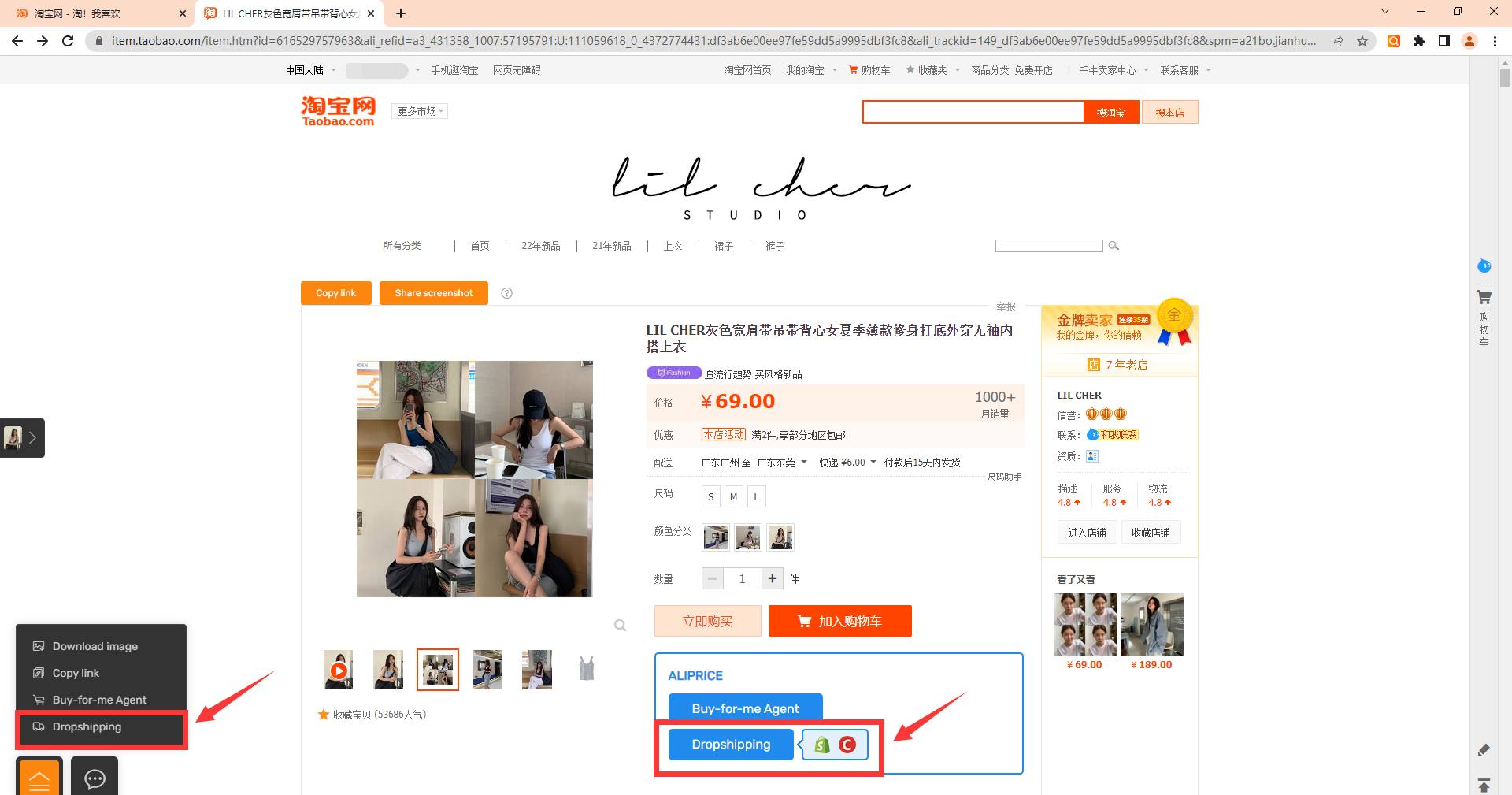
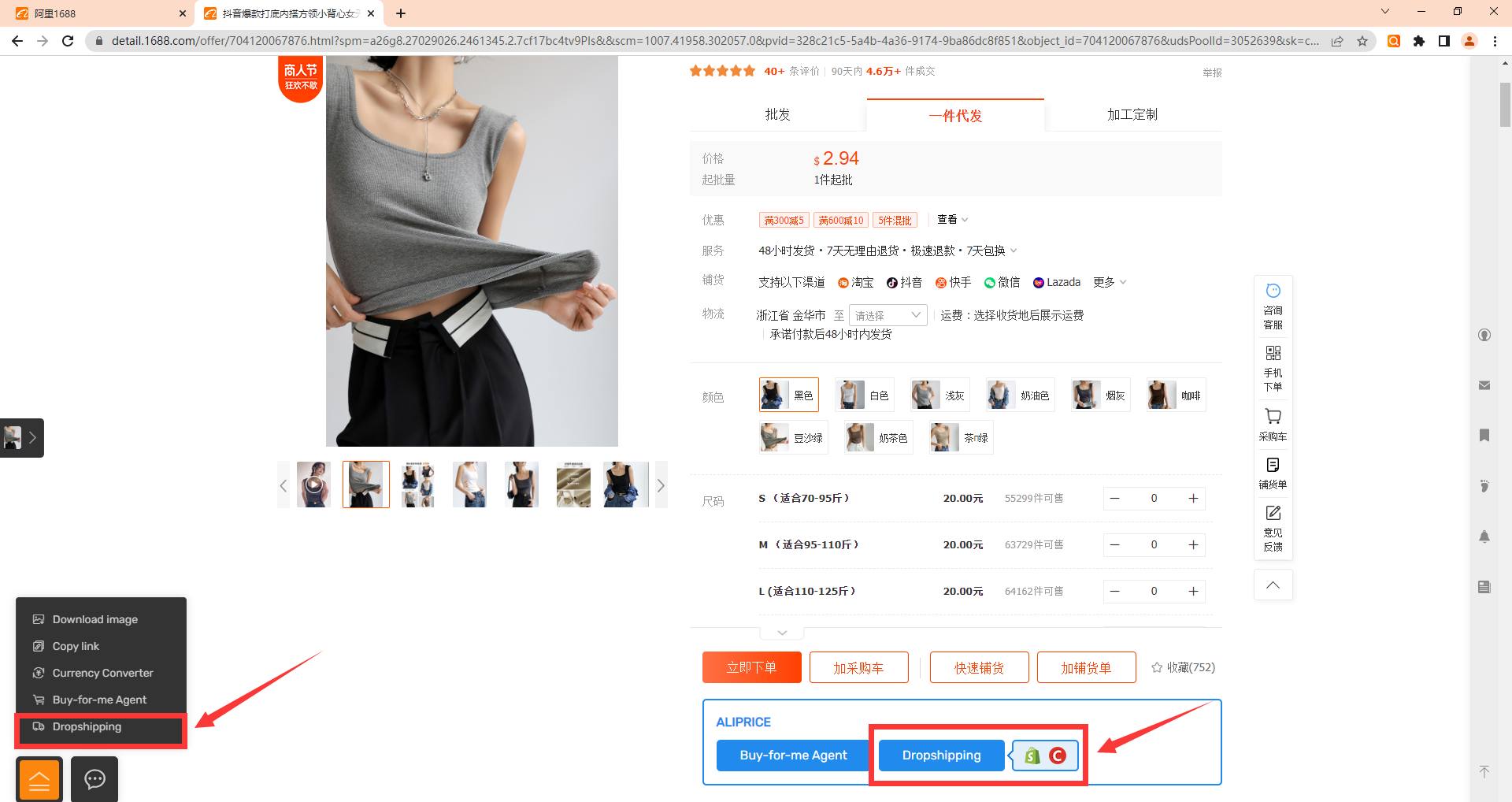
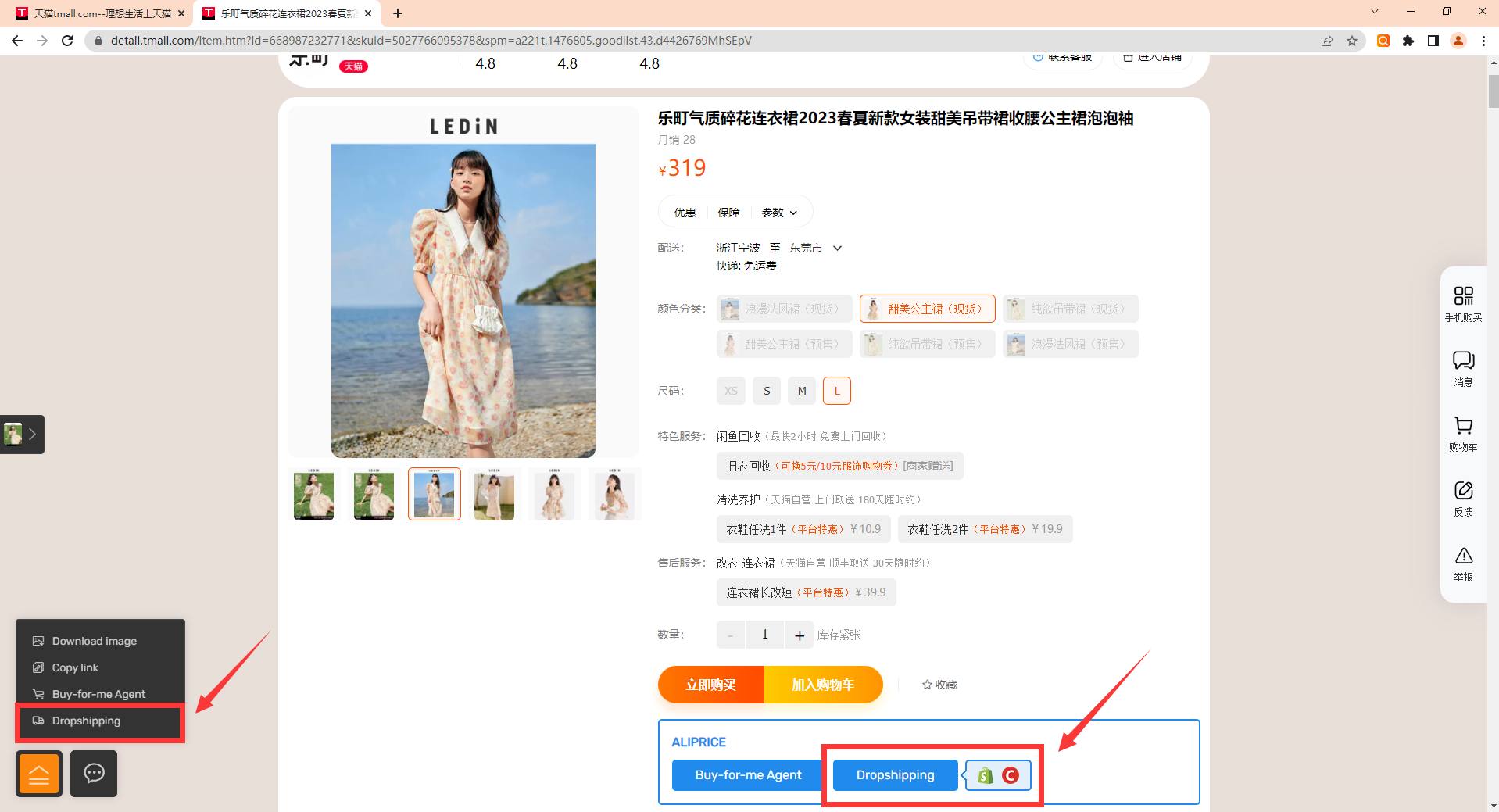
6.Dropshipping
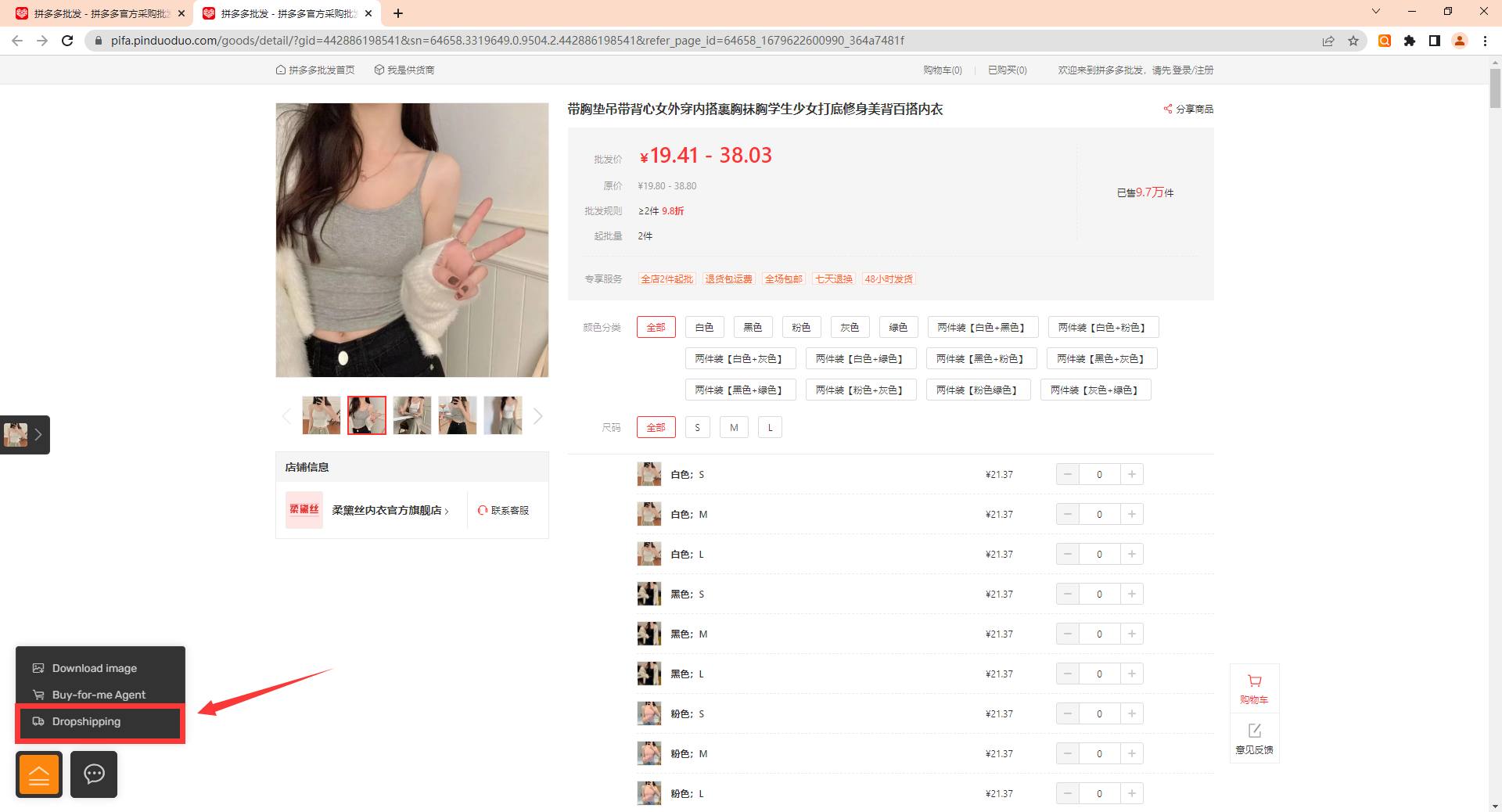
By selecting the dropshipping option in the menu, you can be redirected to the website's dropshipping page. Currently, the extension supports Coupang, Shopify, and eBay stores, with other platforms under development. This feature supports platforms like 1688, Taobao & Tmall, and Pinduoduo retail.
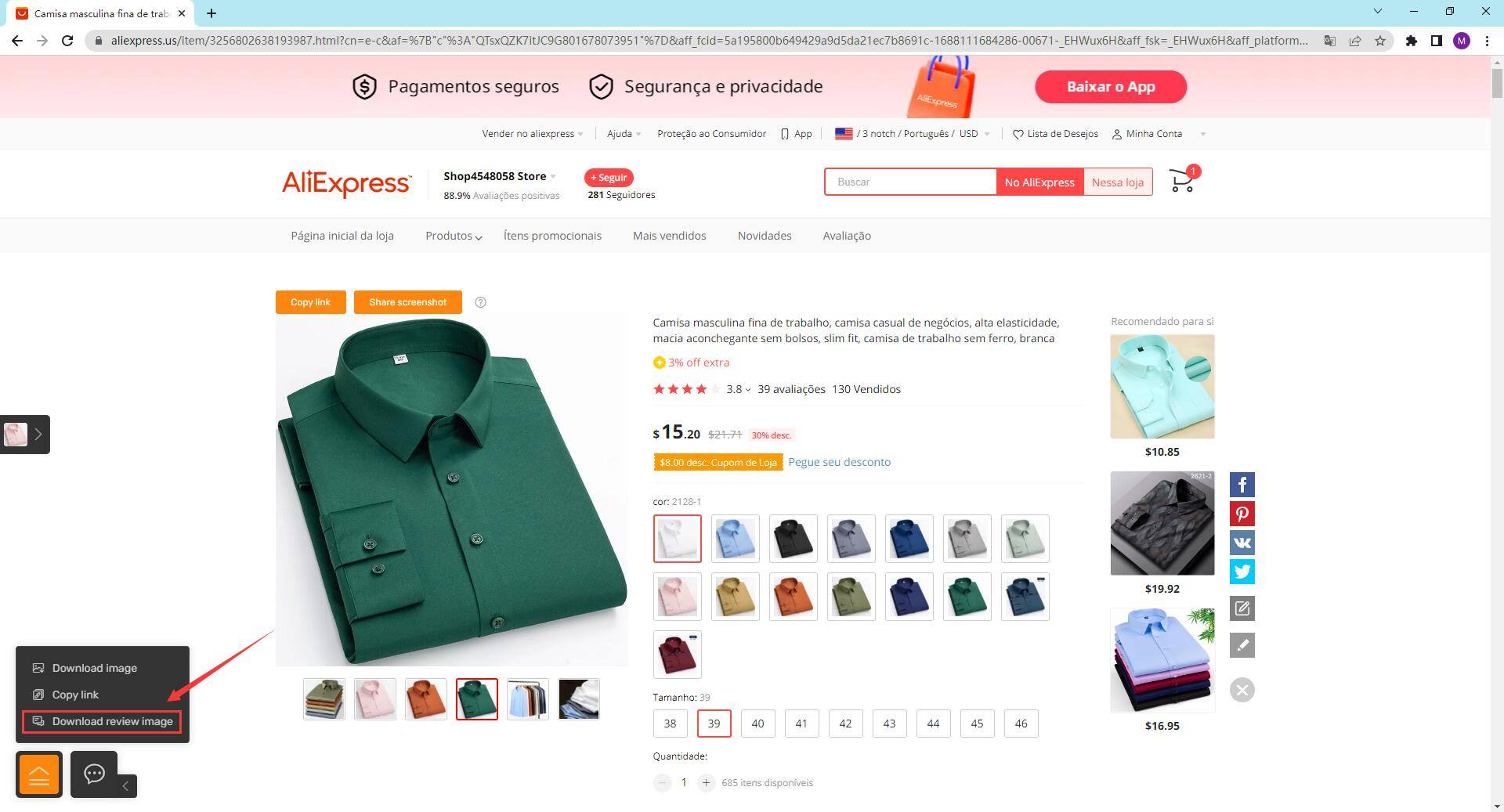
7.Download Comment Images
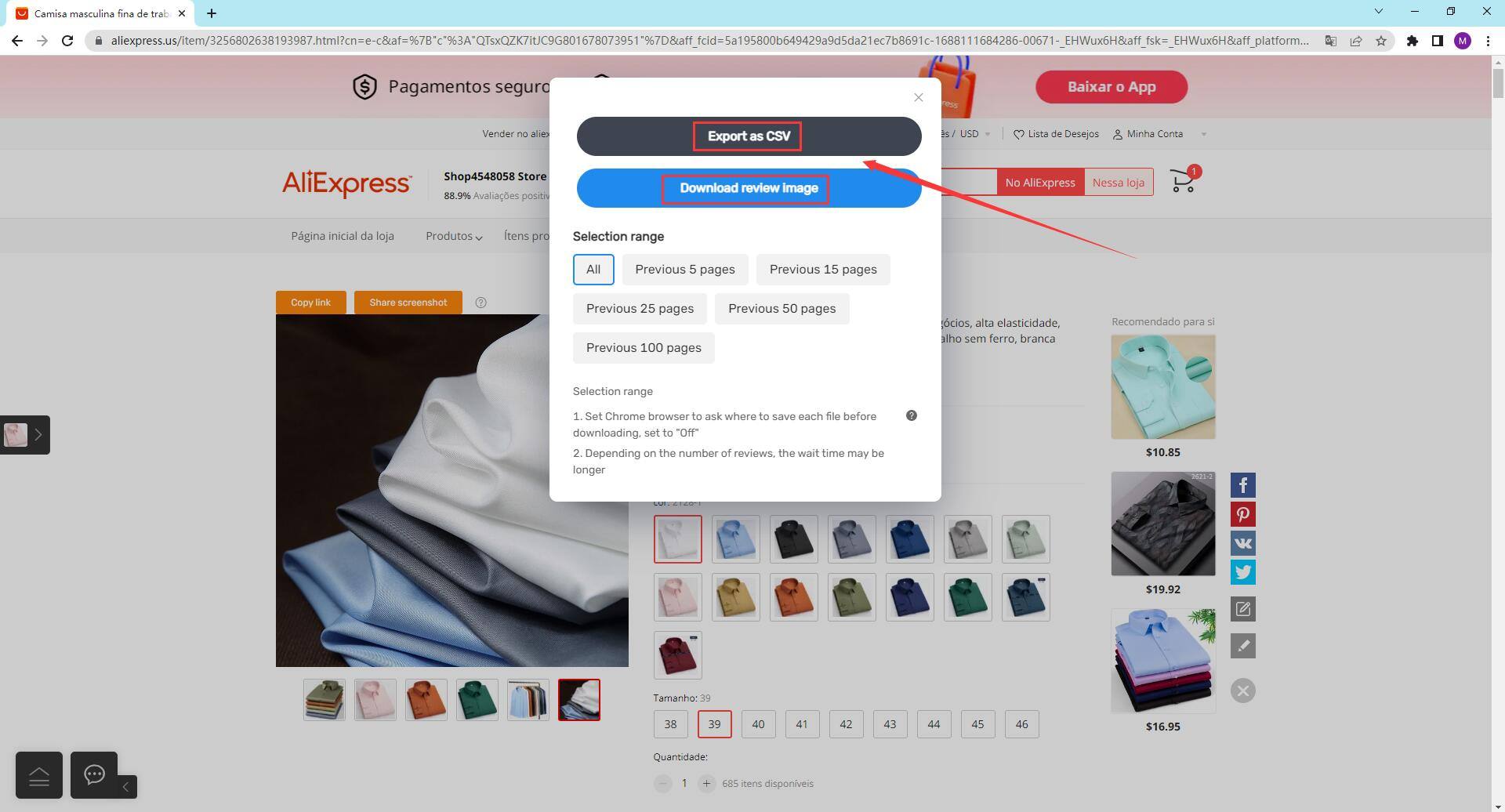
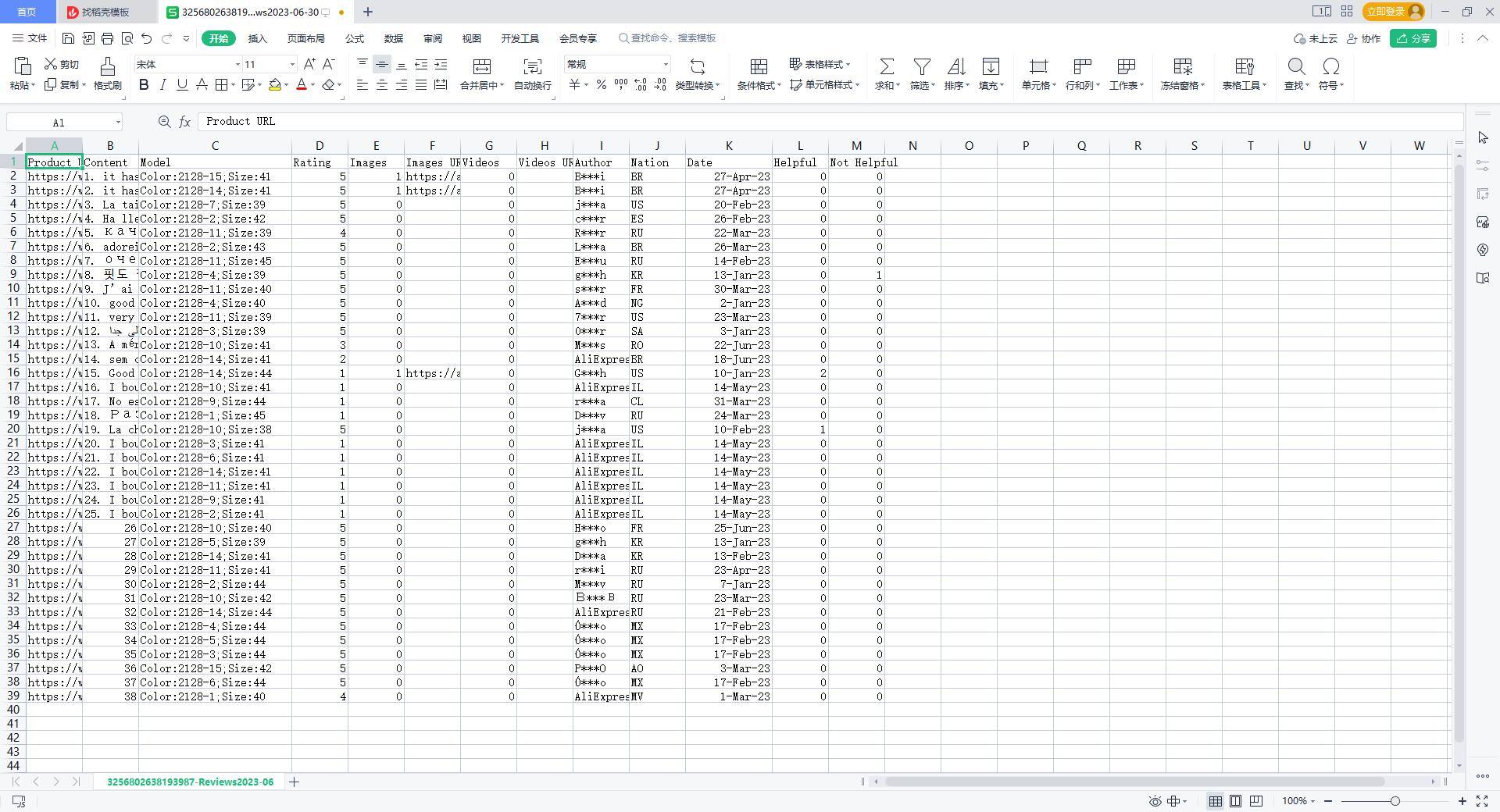
You can download comment images from AliExpress (all sites) and Amazon.com. Simply click the download comment images option in the lower-left menu, or export them as a CSV file.
8.Currency Conversion
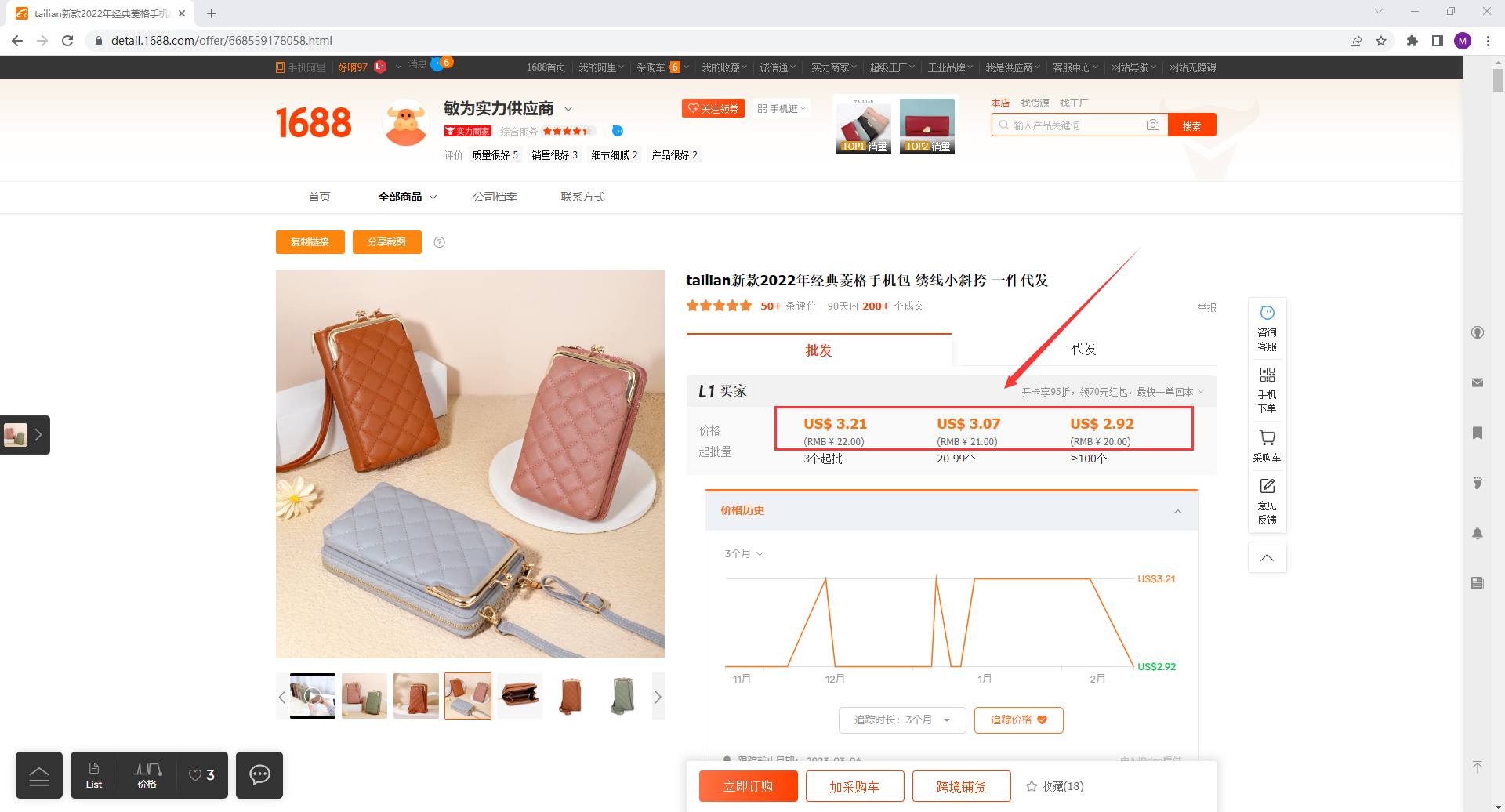
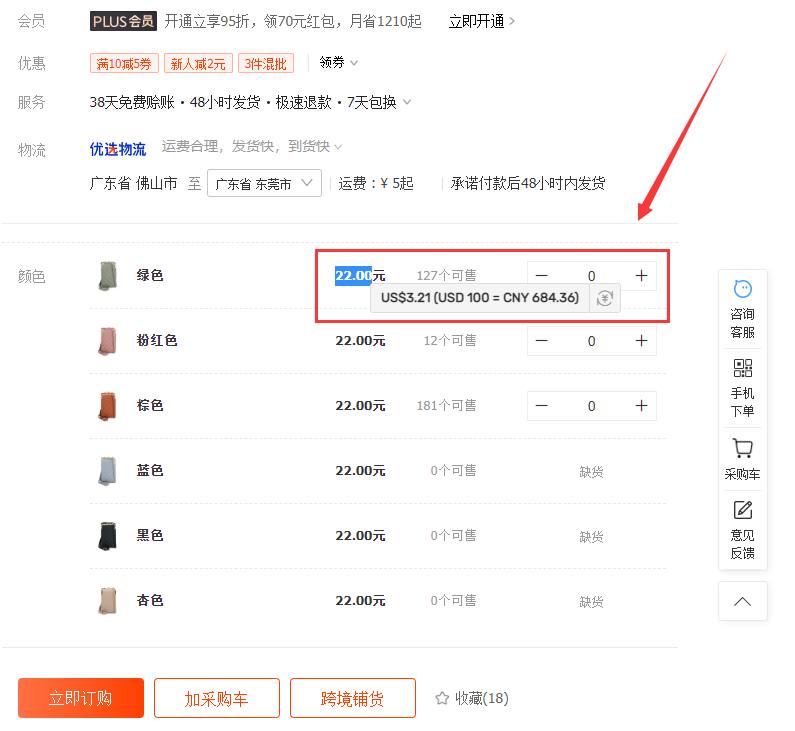
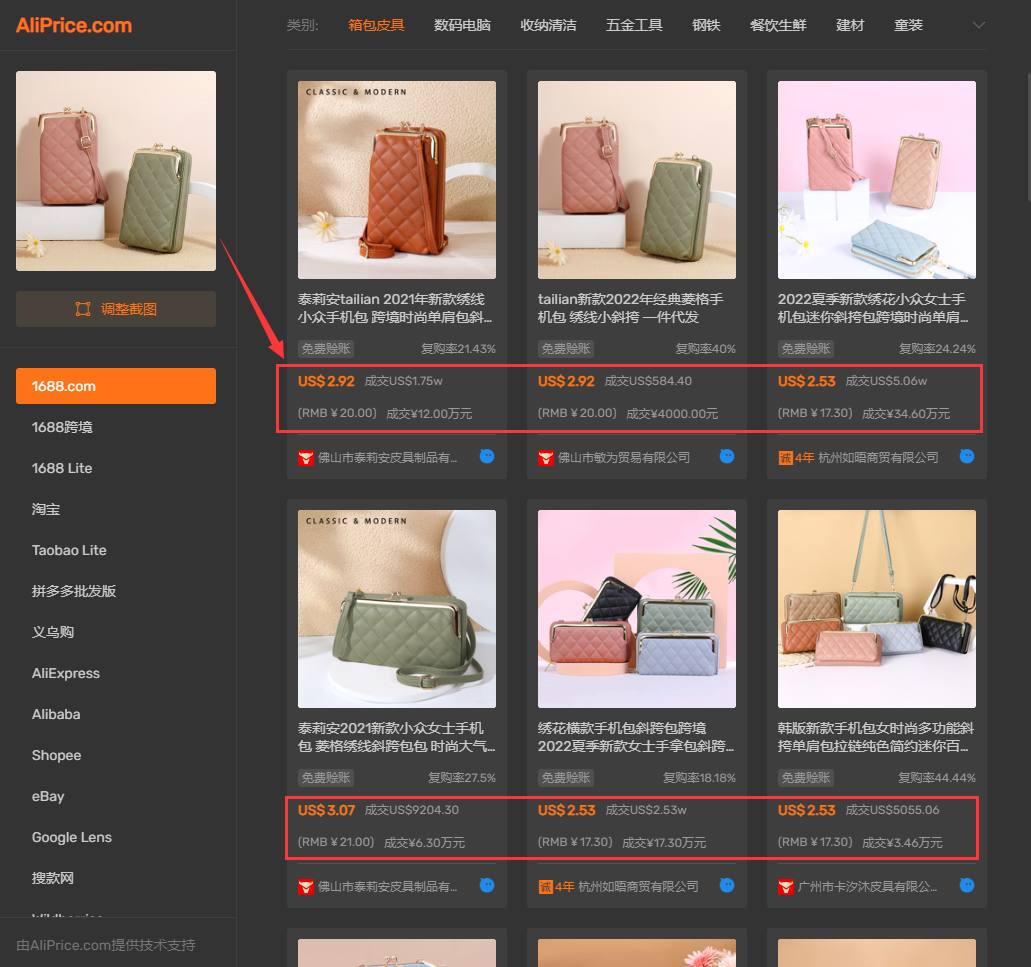
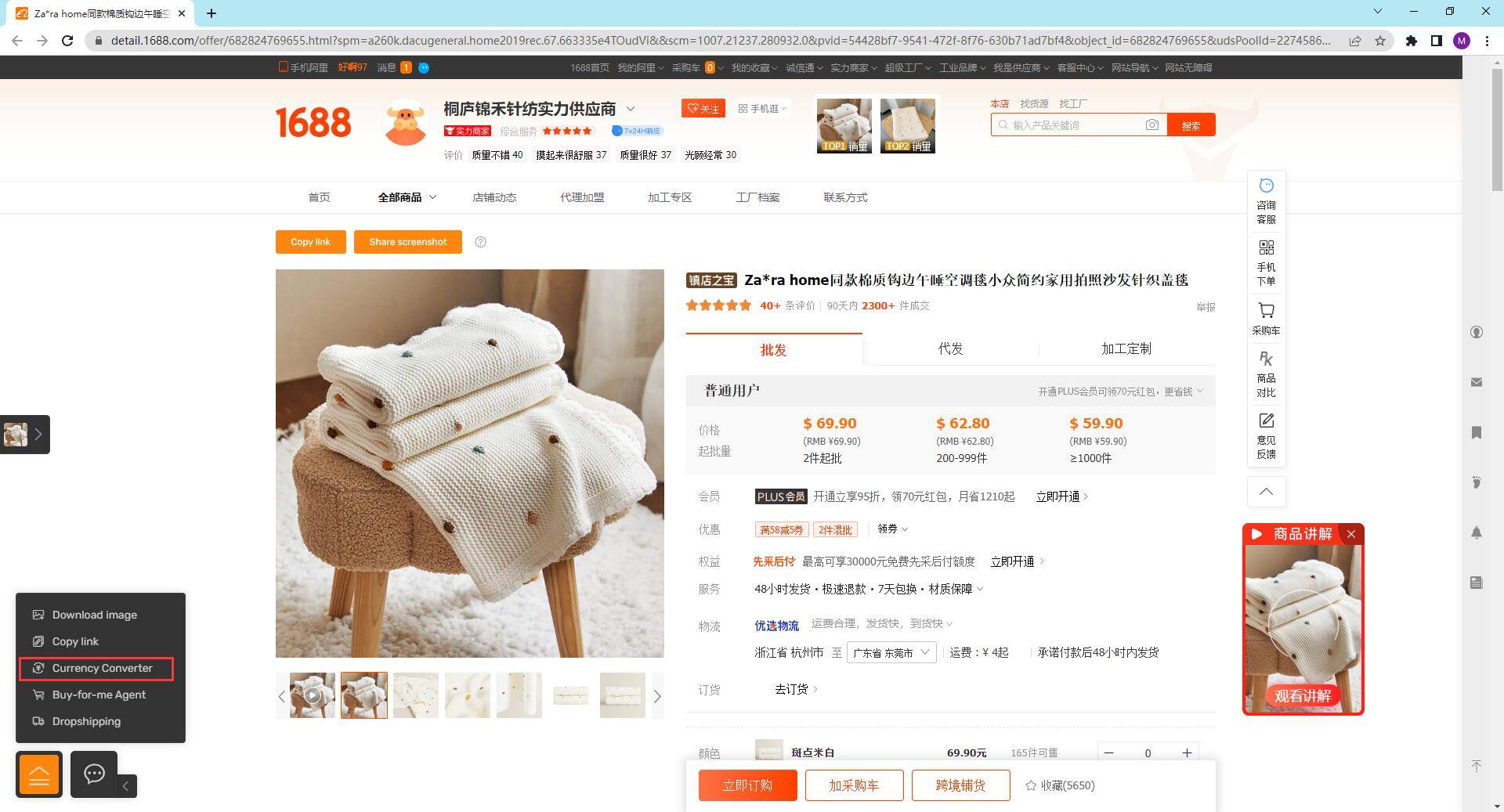
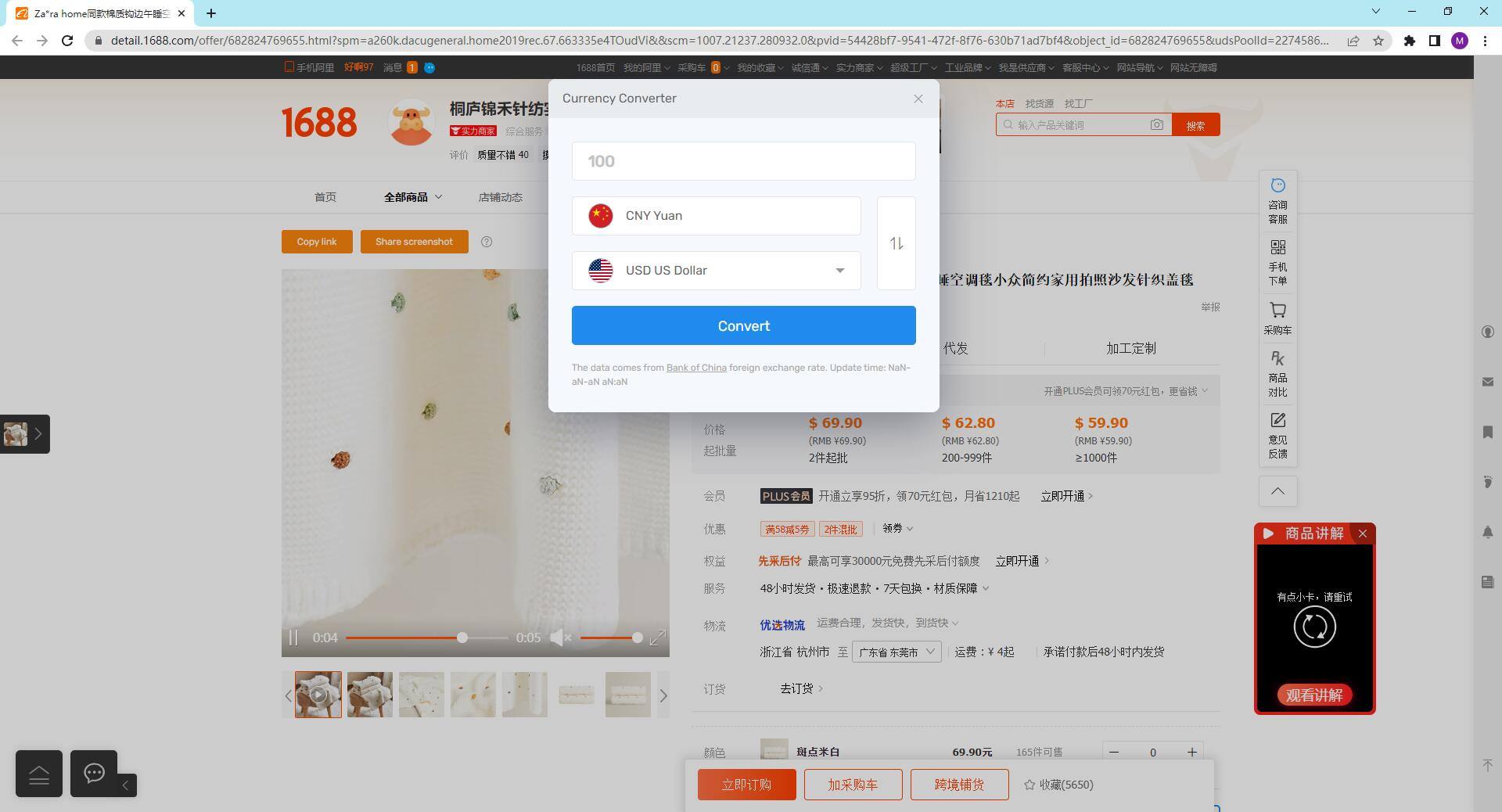
This feature supports currency conversion on 1688.com product detail pages, image search results, and selected RMB prices (1688, Taobao, Pinduoduo retail, and wholesale). You can choose the currency you want to convert in the extension settings, or click the currency conversion option in the sub-menu to perform calculations.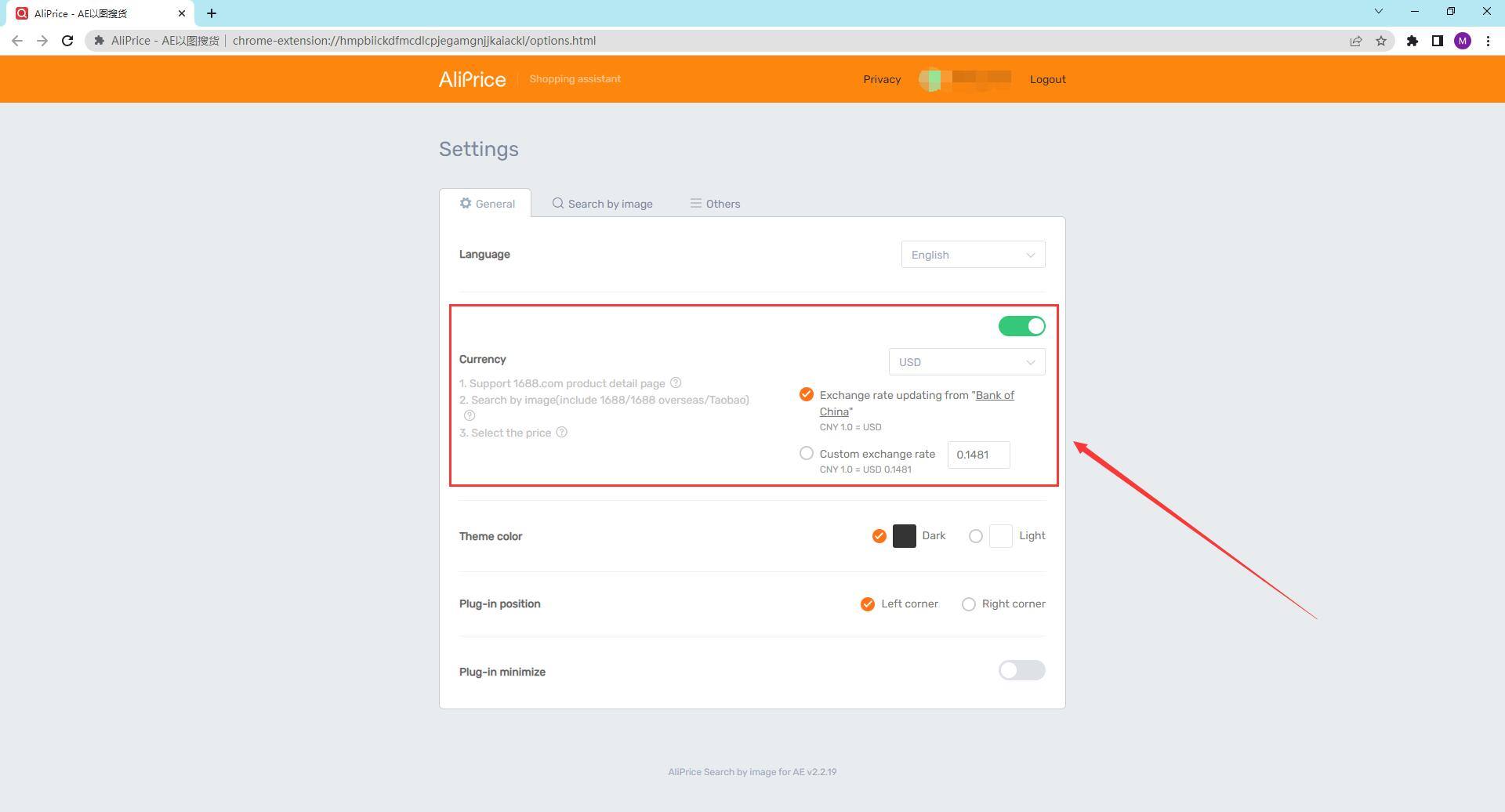
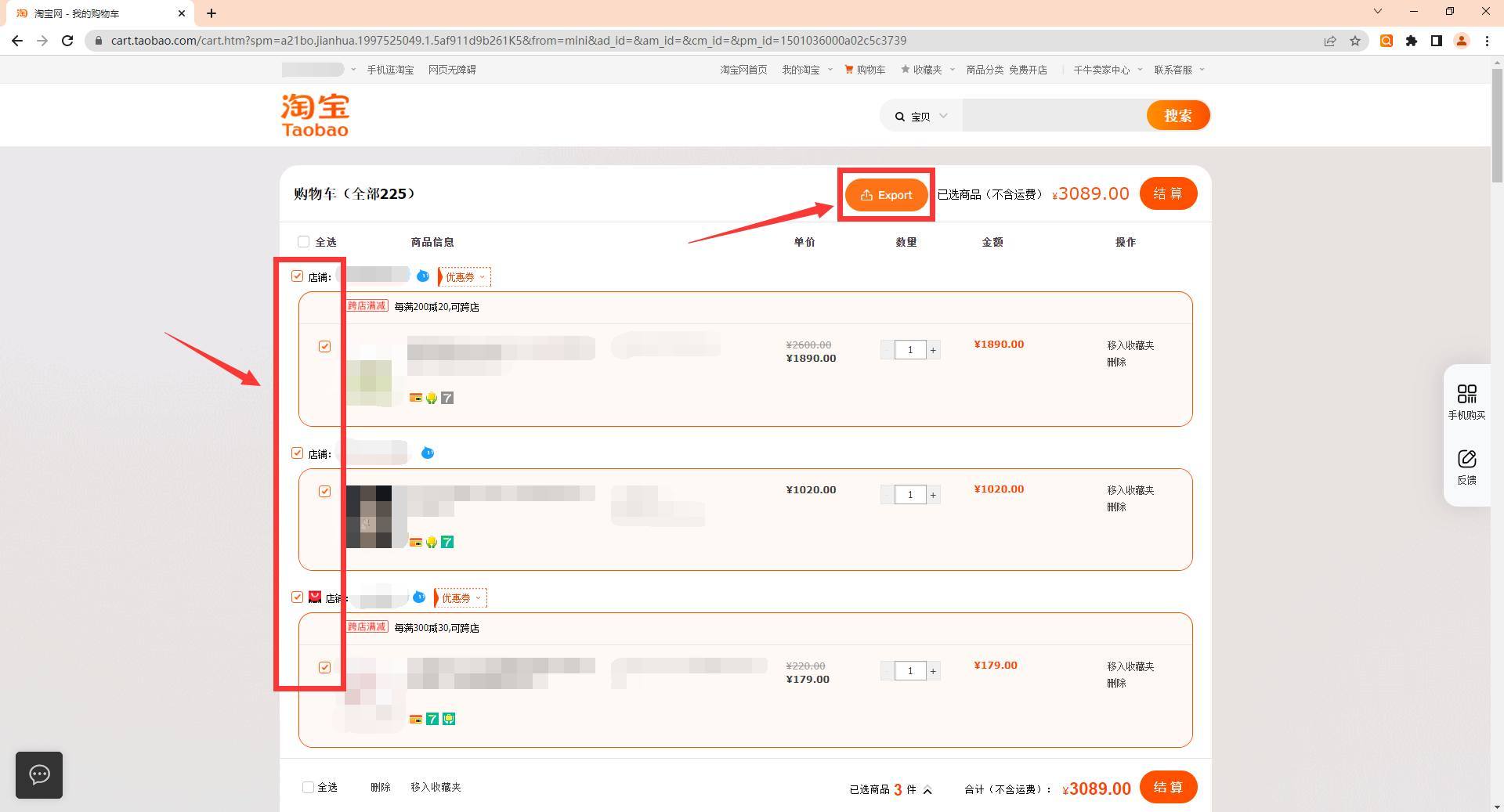
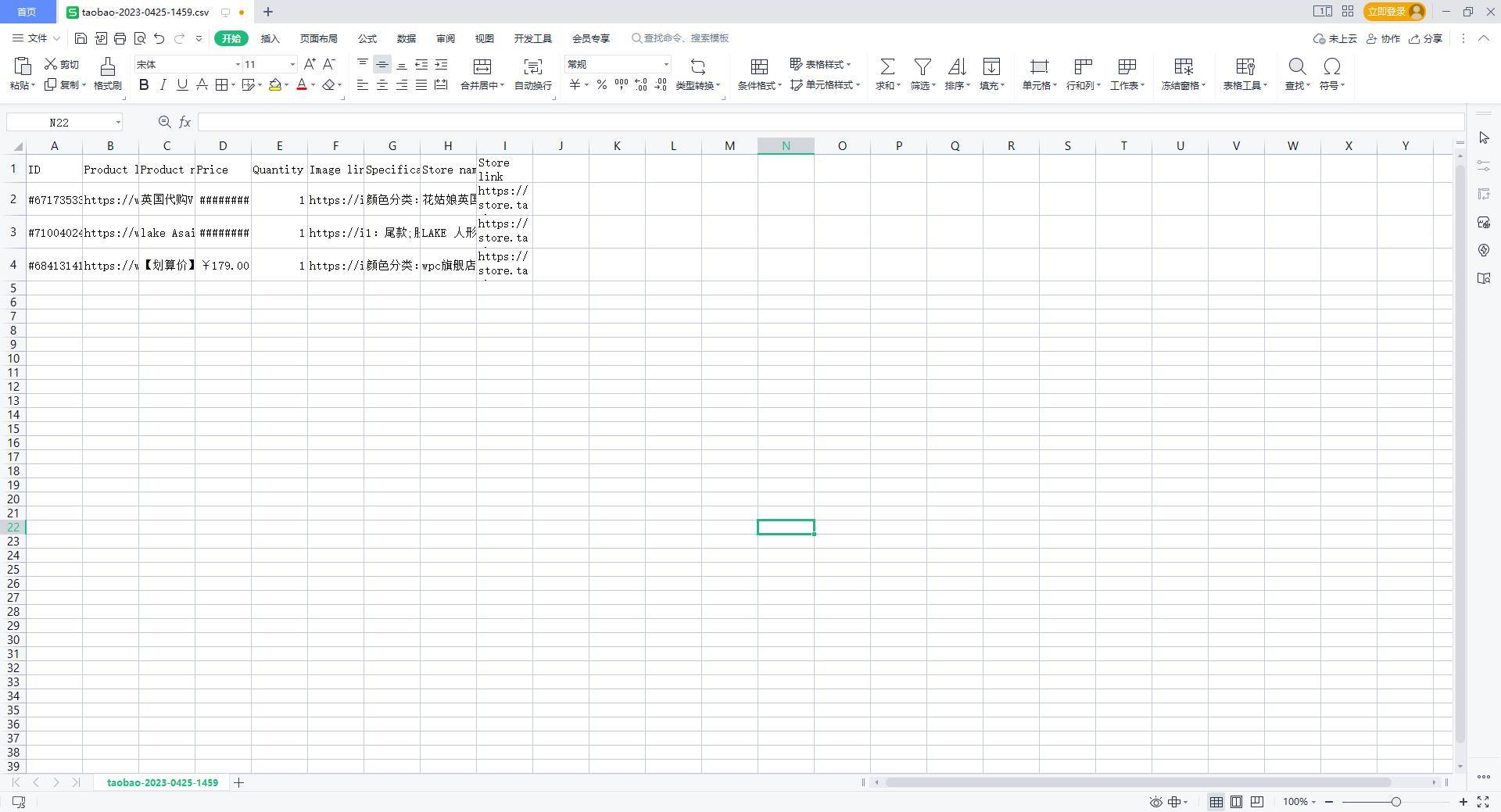
9.Shopping Cart CSV Export
You can export the shopping cart information as a CSV file on platforms like 1688 and Taobao. Simply click the export button on the shopping cart page, and a table with product details will be generated.
Installation Link: https://www.aliprice.com?extension=aliprice_search_by_image
#AiPriceImageSearch #AiPriceSearchByImage #AiPriceSearchByImageProducts #AiPriceDropshipping














Accedi o registrati per pubblicare una domanda.